By Township Canada
Snowflake DLS Enrichment: Convert Canadian Well Locations to GPS in SQL
Convert DLS legal land descriptions to GPS coordinates directly inside Snowflake SQL. No exports, no Python scripts - just one function call.
Your wells table has 50,000 rows of DLS legal land descriptions. Your analytics team needs GPS coordinates to plot those wells on a map, calculate spacing between sites, or join against geospatial datasets. Right now, someone exports the data to CSV, runs it through a conversion tool, and pastes the results back. That round-trip breaks every time the source data updates - and it breaks data lineage in your warehouse workflows.
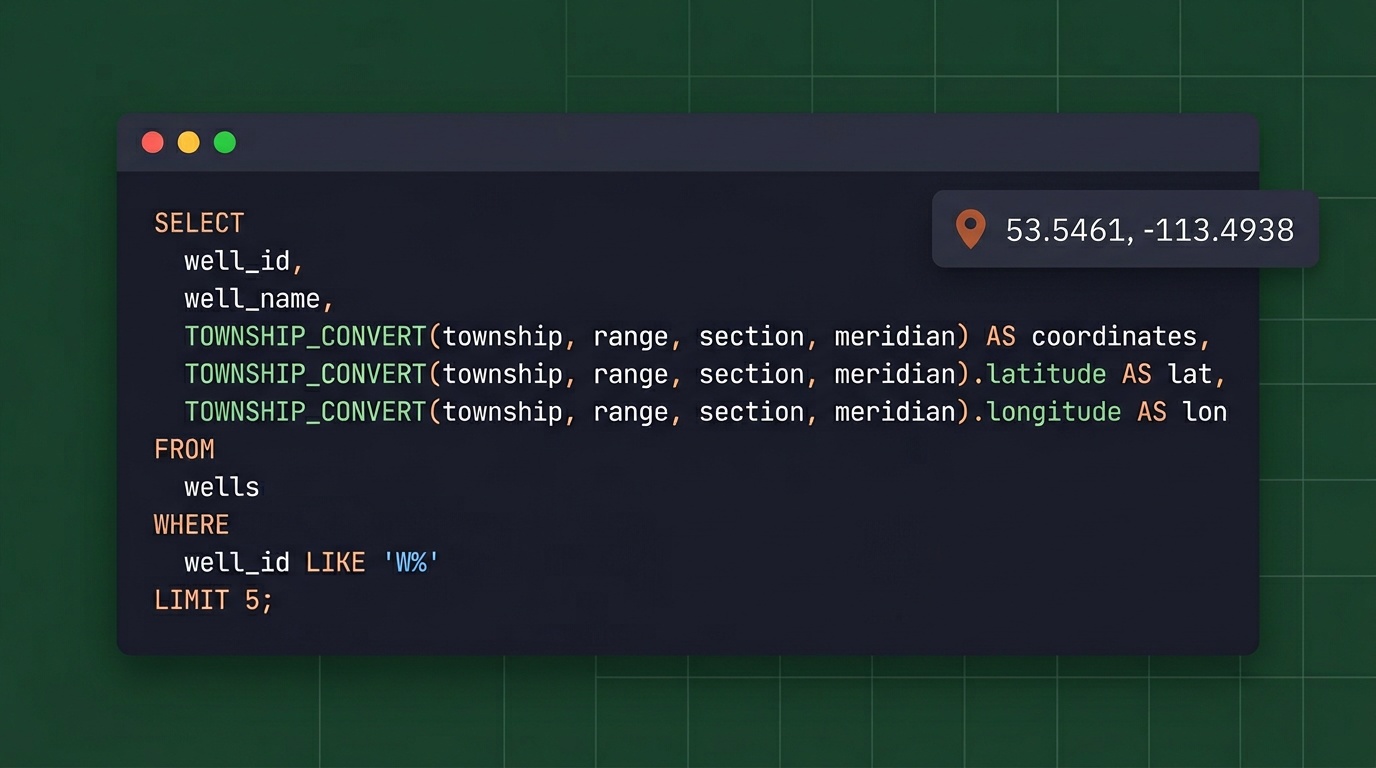
Township Canada now runs directly inside Snowflake SQL. One function call, coordinates back inline, no export step.
In Snowflake, this function is registered as TOWNSHIP_CONVERT(...).
The Export-and-Reimport Problem
Every Canadian energy company on Snowflake has some version of this workflow: legal land descriptions live in the warehouse, but converting them to GPS coordinates happens outside the warehouse. Someone writes a Python script, or downloads a CSV and runs it through a desktop tool, or emails a list to someone in GIS.
The problems multiply at scale:
- Broken lineage: The moment data leaves Snowflake, you lose tracking. Where did those coordinates come from? When were they last refreshed? Which version of the source table was used?
- Manual re-runs: If the wells table updates daily from AER filings, someone has to re-run the conversion daily. That never actually happens - the enriched table drifts from the source.
- Error isolation: When 200 of 50,000 records fail to convert, diagnosing those failures in a disconnected workflow means context-switching between tools.
Data engineers know the pain. The DLS location NE-7-102-19-W4 is precise for regulatory purposes but useless for spatial analysis until it becomes 52.454928, -114.648933.
How Snowflake DLS Enrichment Works
The Township Canada Snowflake integration uses an External Function backed by an AWS Lambda proxy and API Gateway. When you call TOWNSHIP_CONVERT() in a SQL query, Snowflake:
- Collects rows into batches of up to 100
- Sends each batch through an API Gateway endpoint
- The Lambda function forwards it to the Township Canada Batch API
- GPS coordinates come back as structured JSON
- Snowflake maps the results back to the original rows
From the analyst's perspective, it looks like any other SQL function:
SELECT
    well_id,
    well_name,
    uwi_location,
    TOWNSHIP_CONVERT(uwi_location):latitude::FLOAT AS latitude,
    TOWNSHIP_CONVERT(uwi_location):longitude::FLOAT AS longitude
FROM aer_wells
WHERE formation = 'Cardium';
No Python notebook. No CSV download. No separate ETL pipeline. The conversion happens where the data lives.
The Snowflake External Function setup guide walks through every step: Lambda deployment, API Gateway configuration, IAM roles, and Snowflake integration objects. A data engineer can have it running in under an hour.
Real-World Example: Alberta Well Location Enrichment
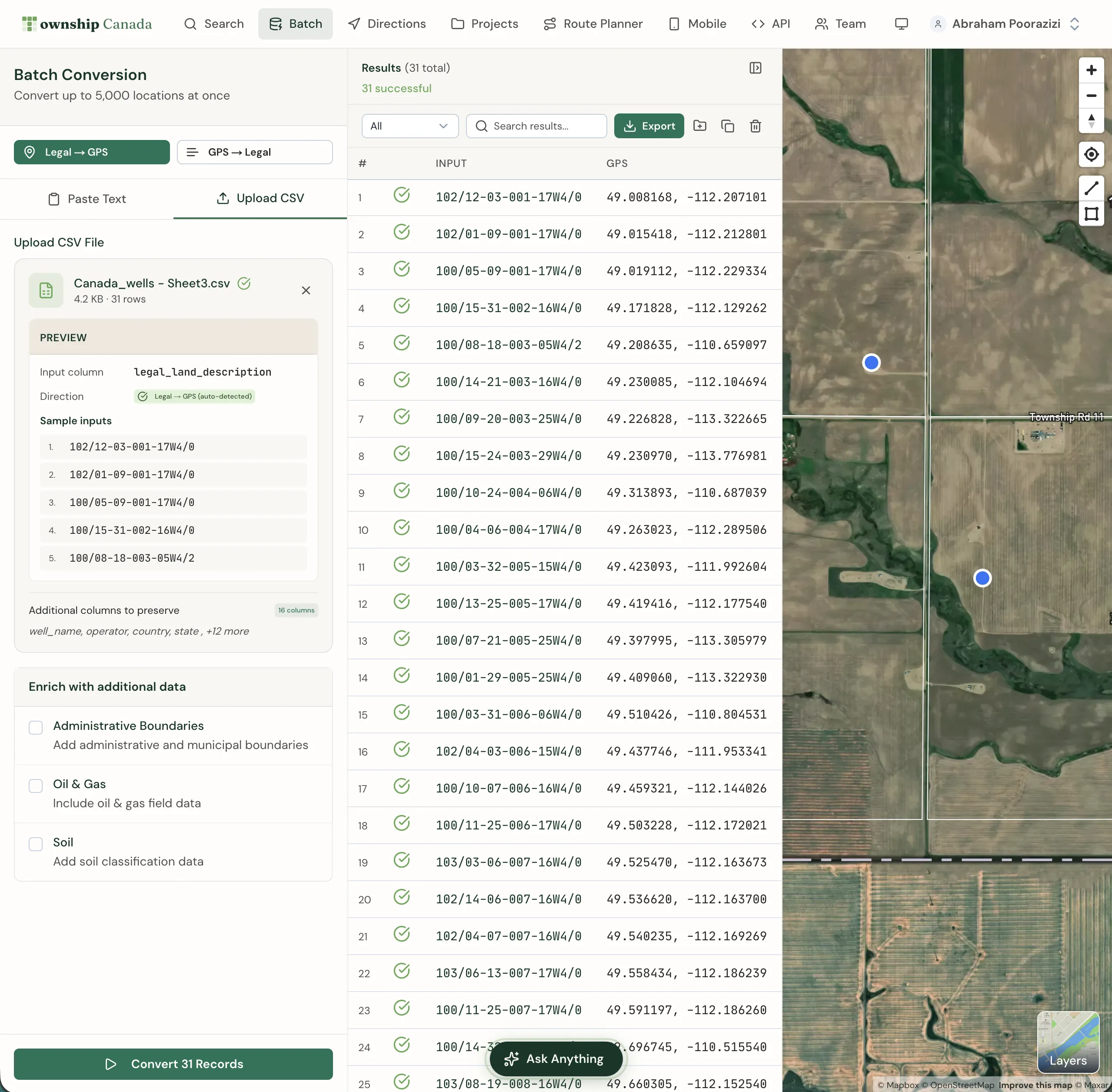
An Alberta operator maintains a wells table with 12,000 records from AER public data. Each row has a UWI-format legal land description like NW-36-42-3-W5 - a quarter section reference in the DLS system. The production analytics team needs GPS coordinates to:
- Plot all active wells on a map dashboard
- Calculate distances between wellpads and processing facilities
- Join well locations against pipeline right-of-way geometries
- Run proximity analysis for new drilling applications
Before the Snowflake integration, enriching the full table meant a weekly Python job that pulled data out, called the API, and loaded results back in. With Snowflake DLS enrichment, the team runs a single CTAS query:
CREATE TABLE wells_with_gps AS
SELECT
    w.*,
    TOWNSHIP_CONVERT(w.legal_land_description):latitude::FLOAT AS latitude,
    TOWNSHIP_CONVERT(w.legal_land_description):longitude::FLOAT AS longitude
FROM wells w;
12,000 rows process in about two minutes. The enriched table stays in Snowflake, linked to the source, and the conversion runs again whenever the source updates - on schedule, in SQL, with full lineage.
For companies already doing batch conversion through the web app, the Snowflake integration moves that same capability into the data warehouse where it can be automated and version-controlled.
Spatial Analysis Without Leaving Snowflake
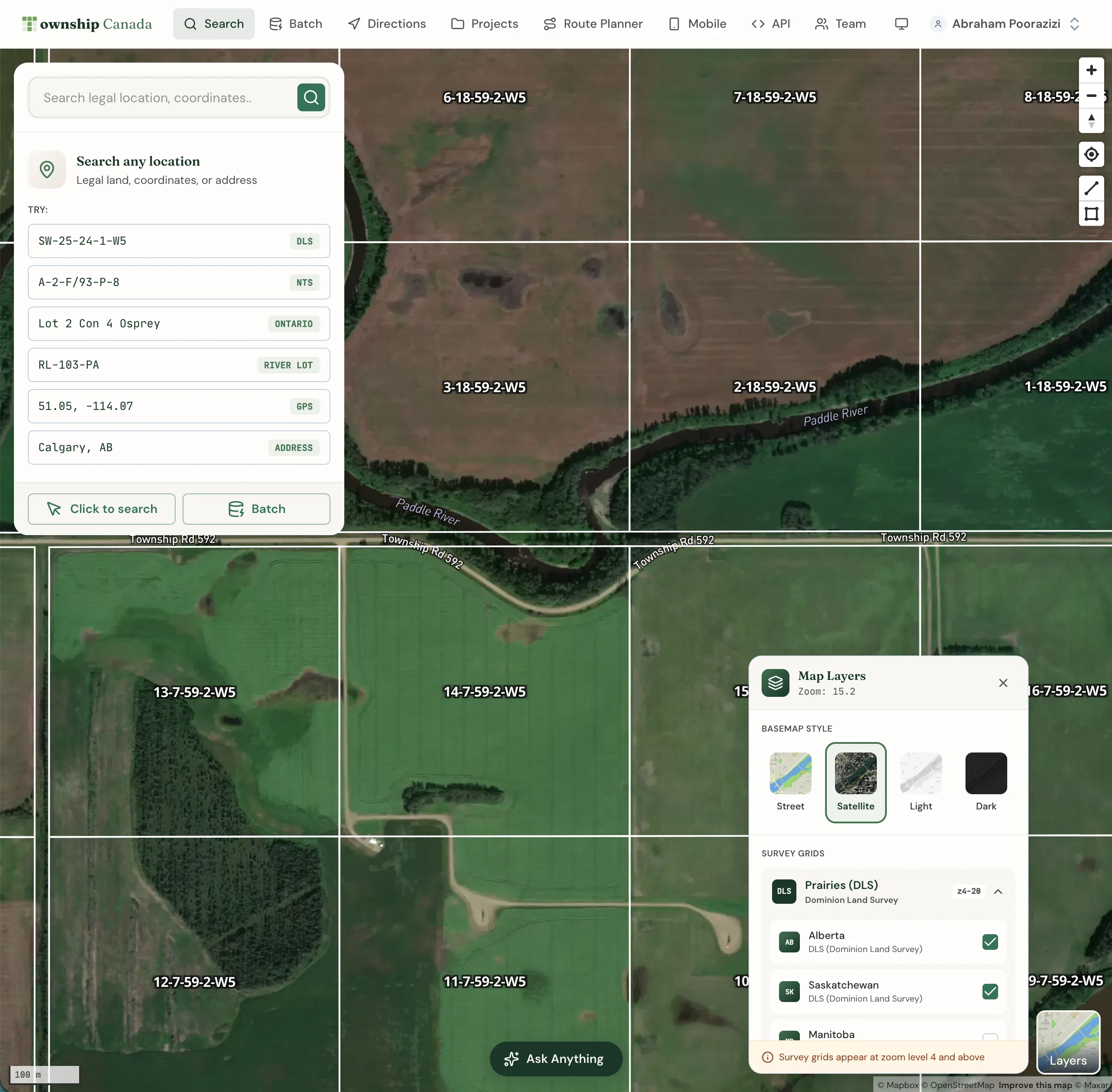
Once you have GPS coordinates, Snowflake's built-in geospatial functions open up analysis that previously required exporting to a GIS tool:
-- Find all Cardium wells within 10 km of a compressor station
WITH well_coords AS (
    SELECT
        well_id,
        legal_land_description,
        TOWNSHIP_CONVERT(legal_land_description):latitude::FLOAT AS lat,
        TOWNSHIP_CONVERT(legal_land_description):longitude::FLOAT AS lon
    FROM aer_wells
    WHERE formation = 'Cardium'
)
SELECT
    well_id,
    legal_land_description,
    ST_DISTANCE(
        TO_GEOGRAPHY(ST_MAKEPOINT(lon, lat)),
        TO_GEOGRAPHY(ST_MAKEPOINT(-114.0719, 51.0447))
    ) / 1000 AS distance_km
FROM well_coords
WHERE ST_DISTANCE(
        TO_GEOGRAPHY(ST_MAKEPOINT(lon, lat)),
        TO_GEOGRAPHY(ST_MAKEPOINT(-114.0719, 51.0447))
    ) / 1000 < 10
ORDER BY distance_km;
Proximity searches, clustering analysis, and geofencing queries all become SQL operations. No round-trip to ArcGIS or QGIS required. (For teams that do need the results in ArcGIS, the Township Canada ArcGIS integration adds a native DLS/NTS locator directly inside ArcGIS Pro and ArcGIS Online.)
Databricks Alternative
If your data platform runs on Databricks, the same Township Canada API integrates through a Python UDF. The Databricks approach uses a pandas_udf that calls the Batch API in chunks of 100 rows - functionally identical to the Snowflake External Function, just written in Python instead of SQL.
The Databricks UDF code is covered in the setup guide. For Node.js applications that need the same conversions outside the warehouse, see the townshipcanada TypeScript package.
DLS Conversion Native to Snowflake
As of March 2026, we're not aware of another DLS/NTS converter that runs natively in Snowflake or Databricks. Desktop tools like SCADALink don't integrate with modern data warehouses at all. If your warehouse data references DLS locations, Township Canada lets you enrich it without leaving Snowflake.
Pricing
The External Function uses the Township Canada Batch API. Pricing scales with monthly volume:
| Monthly Rows Converted | API Tier |
|---|---|
| Up to 1,000 | Build |
| Up to 10,000 | Scale |
| Up to 100,000 | Enterprise |
For companies already running oil and gas data workflows through Township Canada's web app, the API integration adds warehouse-native conversion without changing existing subscriptions.
Full API pricing and tier details are on the API page.
Related Resources
- How to Convert Legal Land Descriptions Directly in Snowflake SQL - SQL patterns for conversion: mixed LLD formats, pre-enrichment validation, dbt model integration
- How to Enrich a Snowflake Table with DLS GPS Coordinates - Step-by-step walkthrough with SQL examples and scheduling
- Snowflake External Function Guide - Step-by-step setup instructions
- Batch API Guide - Detailed API documentation
- API Documentation - Pricing and interactive API explorer
Get Started
- Get a Batch API key from the API portal - Batch API Build tier, see pricing
- Follow the setup guide at /guides/snowflake-external-function - covers Lambda, API Gateway, IAM, and Snowflake configuration
- Test it with
SELECT TOWNSHIP_CONVERT('NW-36-42-3-W5')and see coordinates come back in your Snowflake worksheet
The guide includes working code for both Snowflake and Databricks, cost estimation tables, and troubleshooting tips. If you run into issues, reach out at support@townshipcanada.com.