Built for the field.
iOS and Android.
Included with every plan.
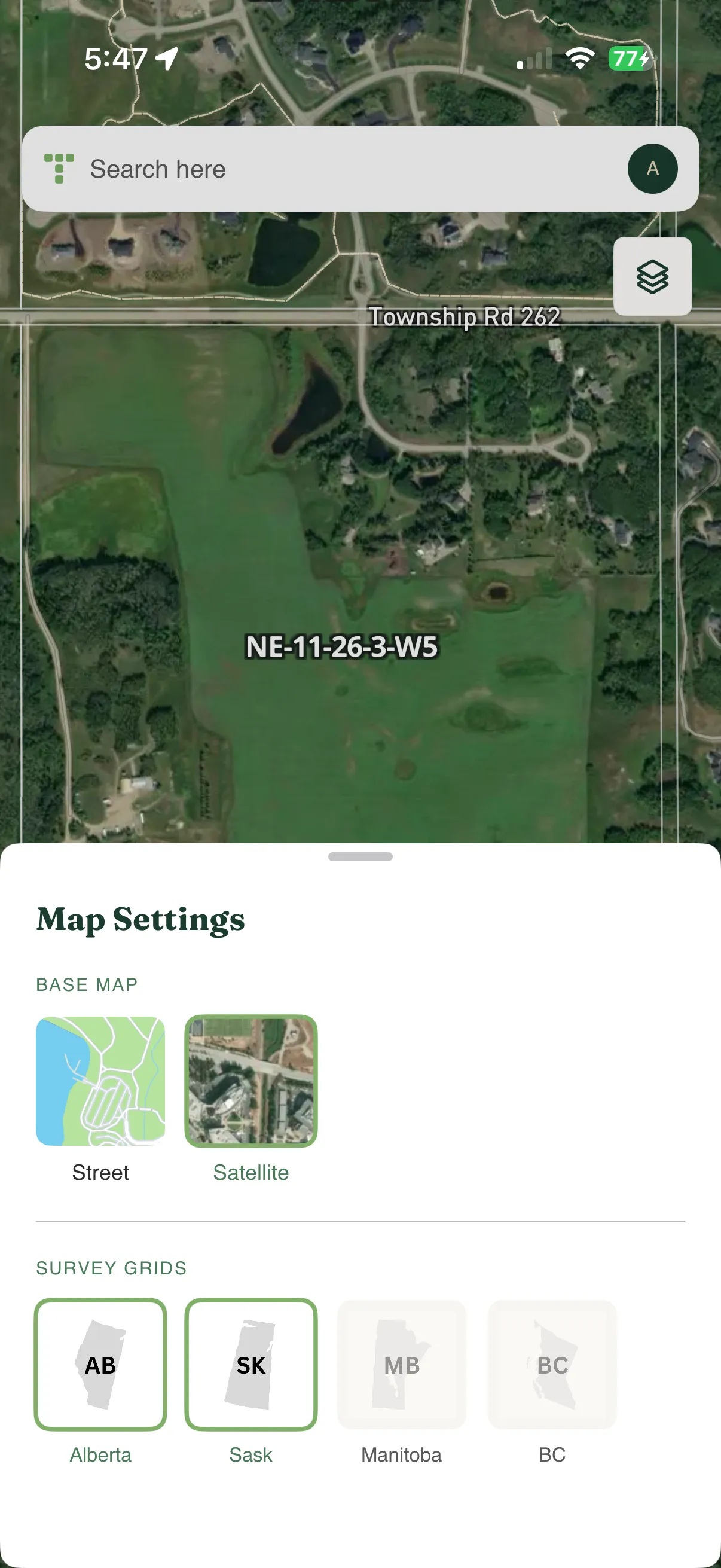
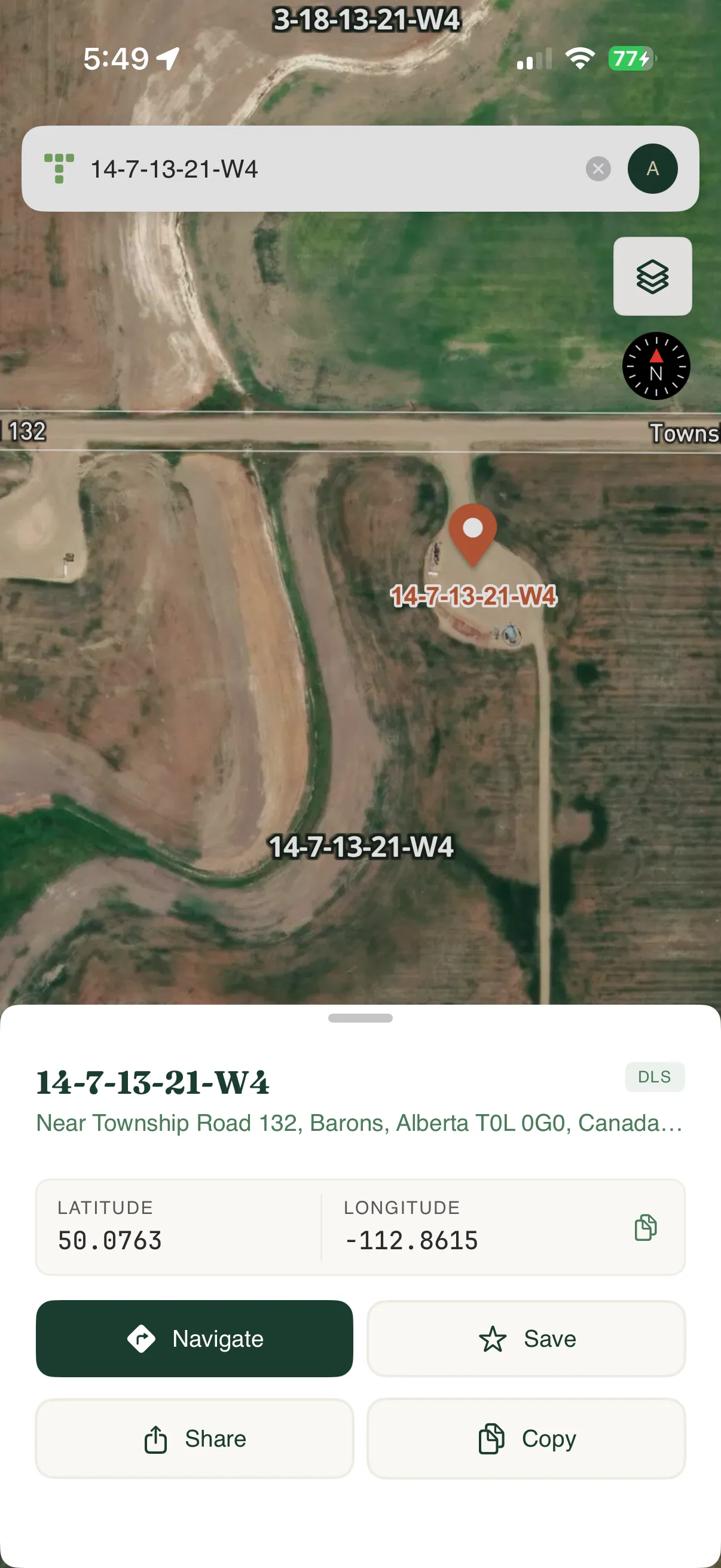
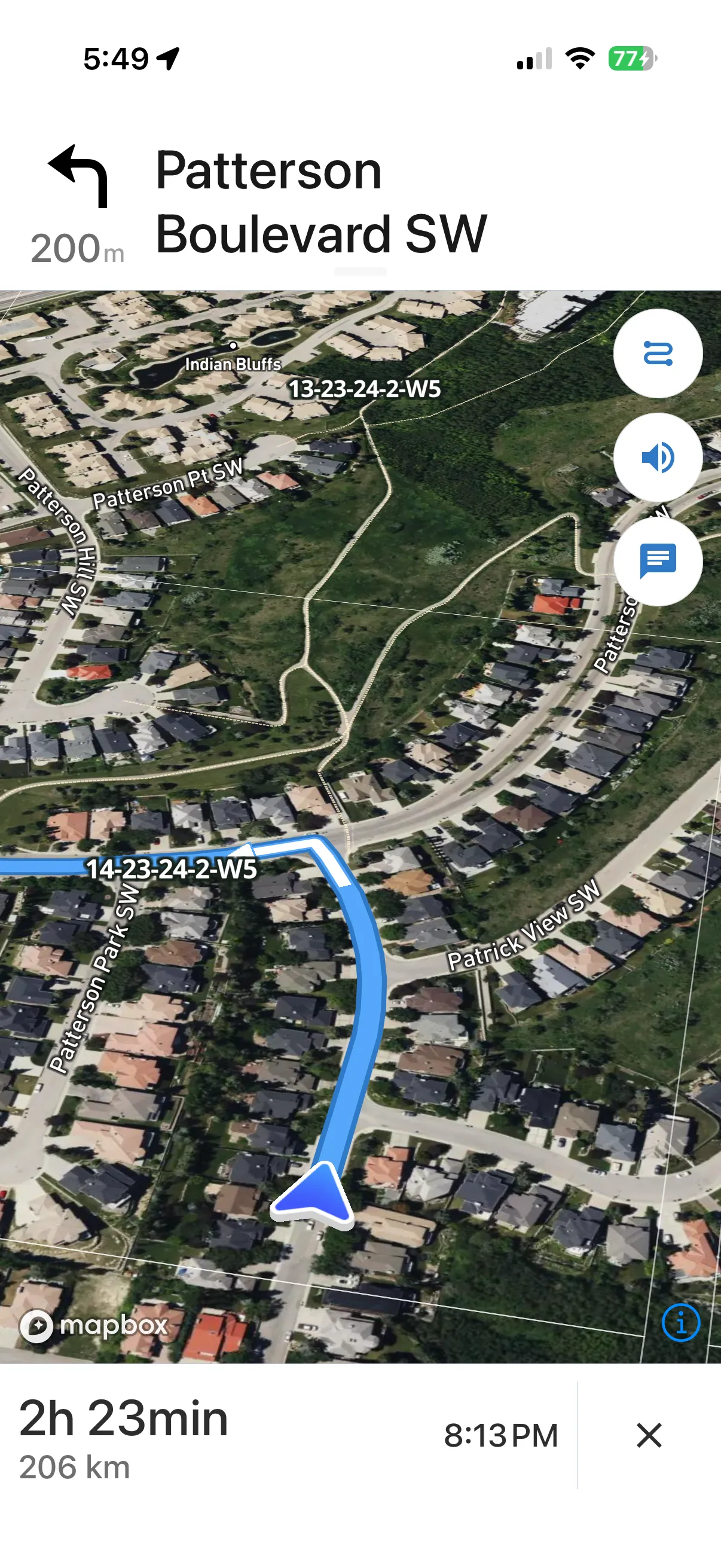
Search any LSD, section, or township. Get turn-by-turn navigation to the exact location. Purpose-built for when you're standing in the field, not at a desk.
Your browser works. This works better.
Purpose-built for field conditions where every second counts.
Native GPS Accuracy
Direct hardware access means faster location locks and better precision than browser-based GPS.
One-Handed Use
Large touch targets and simplified UI designed for gloved hands and field conditions.
Low Signal Friendly
Optimized to work reliably in areas with spotty cellular coverage.
Everything you need in the field
Simple tools that do exactly what you need, nothing more.
Search Any Location
Enter any LSD, section, township, NTS grid reference, or BC PID. Get GPS coordinates instantly.
Turn-by-Turn Navigation
Get driving directions to any legal land description. Connects to Google Maps or your preferred nav app.
See Your Position
View your current location overlaid on the DLS/NTS grid. Know exactly which LSD you're standing in.
Built for field professionals
Used by professionals across Western Canada for navigation and land research.
Included with every plan
The mobile app comes with every paid Township Canada plan - Starter, Pro, and Business. Pick a plan, download the app, and sign in with your account. There is nothing separate to buy and no license keys.
All plans include a 30-day money back guarantee. Prices in CAD.
One account.
One active device.
Your Township Canada account is active on one device at a time. Switching devices is effortless — just sign in on the new one.
Active on one device
Your account runs on a single phone at a time — no shared logins.
Switch seamlessly
Sign in on a new device and the old one signs out automatically — no manual revoke step.
Your account, always yours
Signing out just frees up the device. Sign back in anytime with the same account.
Up and running in minutes
Simple setup, no complex configuration required.
Download the app
Get Township Canada from the Google Play Store or the Apple App Store.
Subscribe to any plan
Choose Starter, Pro, or Business at townshipcanada.com/pricing. The mobile app is included with every paid plan.
Sign in and go
Open the app, sign in with your Township Canada account, and start searching any location in Canada.
Common questions
Ready to navigate Canadian land descriptions?
Download the app and get turn-by-turn directions to any legal land description.