By Township Canada
How to Enrich a Snowflake Table with DLS GPS Coordinates
Step-by-step guide to converting Snowflake DLS legal land description columns to GPS coordinates using Township Canada's External Function.
Your AER wells table in Snowflake has 10,000 rows. Every row has a DLS legal land description like NW-25-24-1-W5 - but no latitude, no longitude. Your BI team wants those wells on a map. Your data scientists need spatial joins. Someone suggests exporting to CSV, running the conversions externally, and loading the results back. That process worked once, six months ago. It hasn't been re-run since.
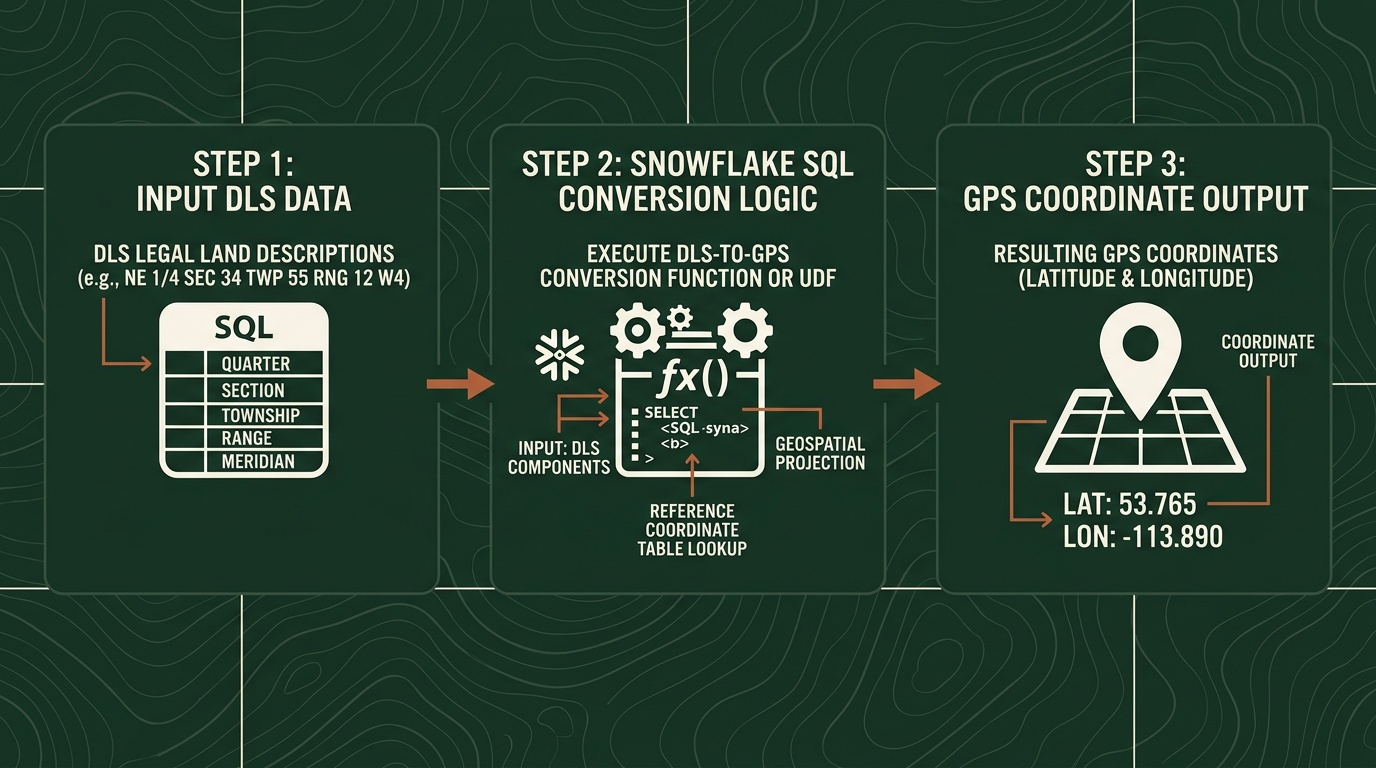
There's a better approach: convert Snowflake DLS legal land descriptions to GPS coordinates directly in SQL, without leaving the warehouse. Township Canada's External Function lets you write SELECT TOWNSHIP_CONVERT(legal_desc) FROM wells and get coordinates back inline.
Here's how to set it up, run it, and scale it.
Prerequisites
Before you start, you need two things:
- A Township Canada Batch API key - subscribe on the API page. The Batch API Build tier covers 1,000 requests/month and is required for Snowflake table enrichment workflows; see pricing.
- Snowflake ACCOUNTADMIN or SYSADMIN access - creating External Functions requires privileges to set up API integrations and function objects.
The Snowflake External Function setup guide covers the full infrastructure: AWS Lambda deployment, API Gateway configuration, IAM roles, and Snowflake integration objects. Most data engineers complete the setup in under an hour.
Step 1: Create the External Function
Once the Lambda proxy and API Gateway are deployed (per the setup guide), register the External Function in Snowflake:
CREATE OR REPLACE EXTERNAL FUNCTION TOWNSHIP_CONVERT(lld VARCHAR)
    RETURNS VARIANT
    API_INTEGRATION = township_canada_integration
    HEADERS = ('Content-Type' = 'application/json')
    MAX_BATCH_ROWS = 100
    AS 'https://YOUR_API_ID.execute-api.us-west-2.amazonaws.com/prod/';
This function accepts any Canadian legal land description string - DLS quarter sections, LSDs, NTS references - and returns a JSON object with latitude and longitude.
Step 2: Test with a Single Row
Before running against your full table, verify the function works:
SELECT TOWNSHIP_CONVERT('NW-25-24-1-W5') AS result;
The result should return a JSON object with GPS coordinates for the northwest quarter of Section 25, Township 24, Range 1, West of the 5th Meridian.
If you see an error, check your API key configuration and Lambda proxy logs. The setup guide includes a troubleshooting section for common issues.
Step 3: Enrich a Full Table
With the function confirmed, run it against your wells data. Here's a practical example using an AER well inventory table:
CREATE TABLE wells_enriched AS
SELECT
    w.well_id,
    w.well_name,
    w.uwi,
    w.legal_land_description,
    tc.result:latitude::FLOAT AS latitude,
    tc.result:longitude::FLOAT AS longitude
FROM aer_wells w,
LATERAL (SELECT TOWNSHIP_CONVERT(w.legal_land_description) AS result) tc;
Snowflake batches the API calls automatically - sending rows in groups of up to 100. A 10,000-row table typically processes in two to three minutes, depending on warehouse size and network latency.
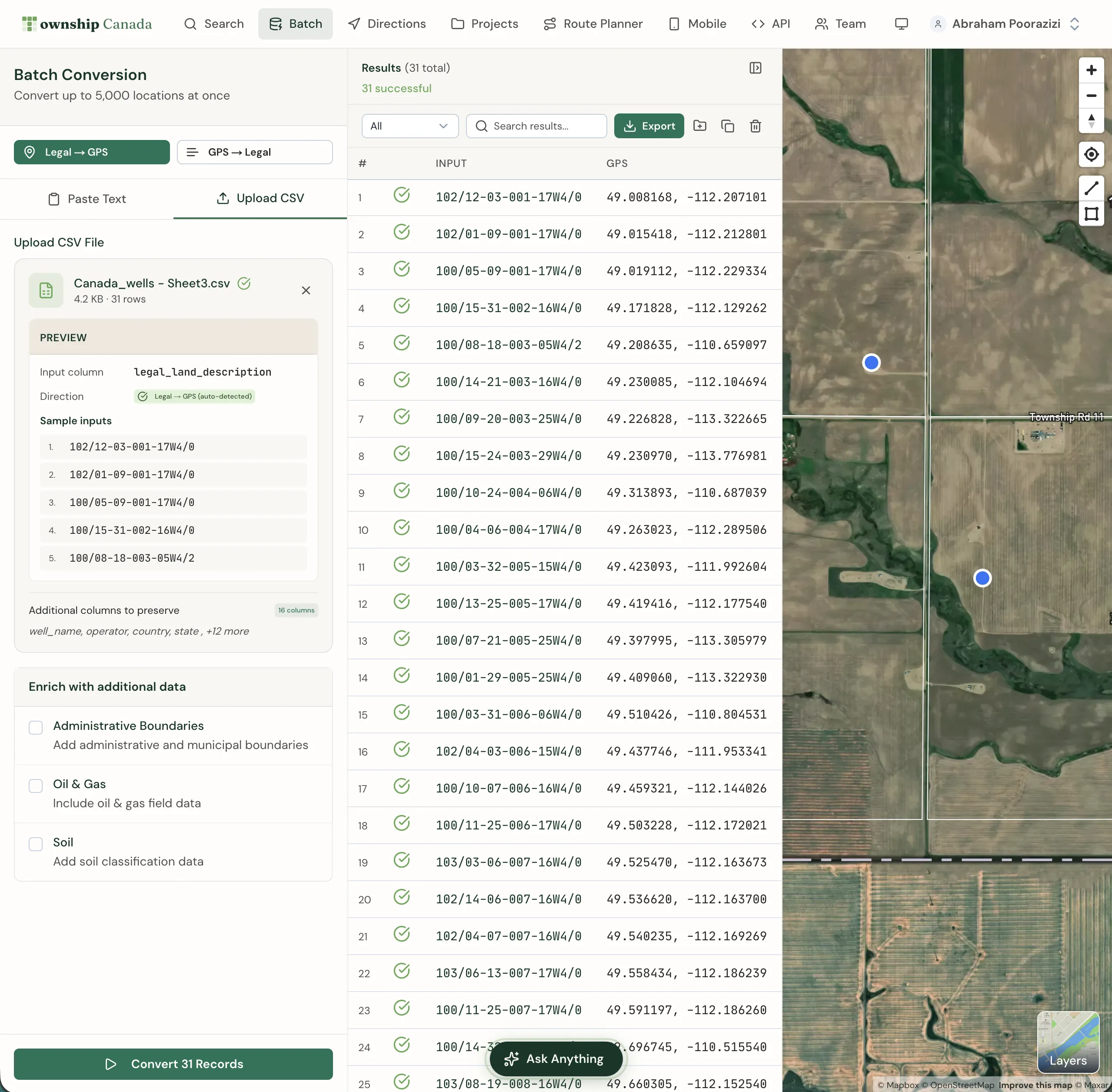
For teams already using Township Canada's web-based batch conversion for CSV files, this SQL approach moves the same conversion into your warehouse where it can be scheduled and version-controlled.
Step 4: Schedule Recurring Enrichment
The real value of in-warehouse conversion is automation. If your wells table updates daily from AER filings, schedule the enrichment to run on the same cadence:
CREATE OR REPLACE TASK enrich_wells_daily
    WAREHOUSE = analytics_wh
    SCHEDULE = 'USING CRON 0 6 * * * America/Edmonton'
AS
    INSERT INTO wells_enriched
    SELECT
        w.well_id,
        w.well_name,
        w.uwi,
        w.legal_land_description,
        tc.result:latitude::FLOAT,
        tc.result:longitude::FLOAT
    FROM aer_wells w
    LEFT JOIN wells_enriched e ON w.well_id = e.well_id
    CROSS JOIN LATERAL (SELECT TOWNSHIP_CONVERT(w.legal_land_description) AS result) tc
    WHERE e.well_id IS NULL;
This task runs at 6 AM Mountain Time daily, converting only new rows that haven't been enriched yet. No manual re-runs, no stale data, no broken lineage.
Databricks UDF Variant
If your team runs on Databricks instead of Snowflake, the same Township Canada API integrates through a Python UDF:
from pyspark.sql.functions import pandas_udf
from pyspark.sql.types import StructType, StructField, DoubleType
import pandas as pd
import requests

TOWNSHIP_API_KEY = dbutils.secrets.get(scope="township", key="api_key")
TOWNSHIP_API_URL = "https://developer.townshipcanada.com/batch/legal-location"
BATCH_SIZE = 100

def convert_lld_batch(llds):
    response = requests.post(
        TOWNSHIP_API_URL,
        headers={
            "X-API-Key": TOWNSHIP_API_KEY,
            "Content-Type": "application/json"
        },
        json=llds
    )
    response.raise_for_status()
    result = response.json()

    coords_map = {}
    for feature in result.get("features", []):
        props = feature.get("properties", {})
        geom = feature.get("geometry", {})
        if props.get("shape") == "centroid" and geom.get("type") == "Point":
            lon, lat = geom["coordinates"]
            coords_map[props["legal_location"]] = (lat, lon)
    return coords_map

@pandas_udf(StructType([
    StructField("latitude", DoubleType()),
    StructField("longitude", DoubleType())
]))
def township_convert(descriptions: pd.Series) -> pd.DataFrame:
    llds = descriptions.tolist()
    all_coords = {}

    for i in range(0, len(llds), BATCH_SIZE):
        chunk = llds[i:i + BATCH_SIZE]
        all_coords.update(convert_lld_batch(chunk))

    latitudes = []
    longitudes = []
    for lld in llds:
        coord = all_coords.get(lld)
        latitudes.append(coord[0] if coord else None)
        longitudes.append(coord[1] if coord else None)

    return pd.DataFrame({"latitude": latitudes, "longitude": longitudes})
Apply it to a Delta table the same way: df.withColumn("coords", township_convert(col("legal_land_description"))). The Batch API guide covers request format, error handling, and rate limits in detail.
Performance and Cost Considerations
A few things to keep in mind at scale:
- Batch size: Snowflake sends rows in batches of up to 100 when
MAX_BATCH_ROWS = 100, which matches the Batch API record limit. - Rate limits: Batch API limits are published as requests per second (Build: 1 req/sec, Scale: 5 req/sec, Enterprise: 25 req/sec). Keep that in mind when tuning warehouse concurrency.
- One-time enrichment: For stable source data, run enrichment with CTAS and store coordinates so you do not re-call the API on every dashboard query.
- Cost planning: Treat pricing as included monthly request volume by tier, not metered per-row billing.
For Canadian oil and gas teams that already track well locations as DLS legal land descriptions, this turns a manual GIS step into a SQL query.
Get Started
- Sign up for a Batch API key at townshipcanada.com/api - Batch API Build tier, see pricing
- Follow the setup guide at /guides/snowflake-external-function to deploy the Lambda proxy and register the External Function
- Test it:
SELECT TOWNSHIP_CONVERT('SE-36-42-3-W5')- you should see latitude/longitude in the returned JSON
The guide includes Snowflake DDL, Lambda proxy code, Databricks UDF examples, and troubleshooting steps. If you hit a wall during setup, email support@townshipcanada.com.