Snowflake External Function for DLS/NTS Conversion
Call the Township Canada API directly from Snowflake SQL queries using an External Function. Convert legal land descriptions to GPS coordinates without leaving your data warehouse.
Convert legal land descriptions to GPS coordinates directly inside Snowflake SQL. This guide walks through setting up a Snowflake External Function that calls the Township Canada Batch API, so your analysts can enrich DLS-referenced well data, land records, and asset tables without exporting anything.
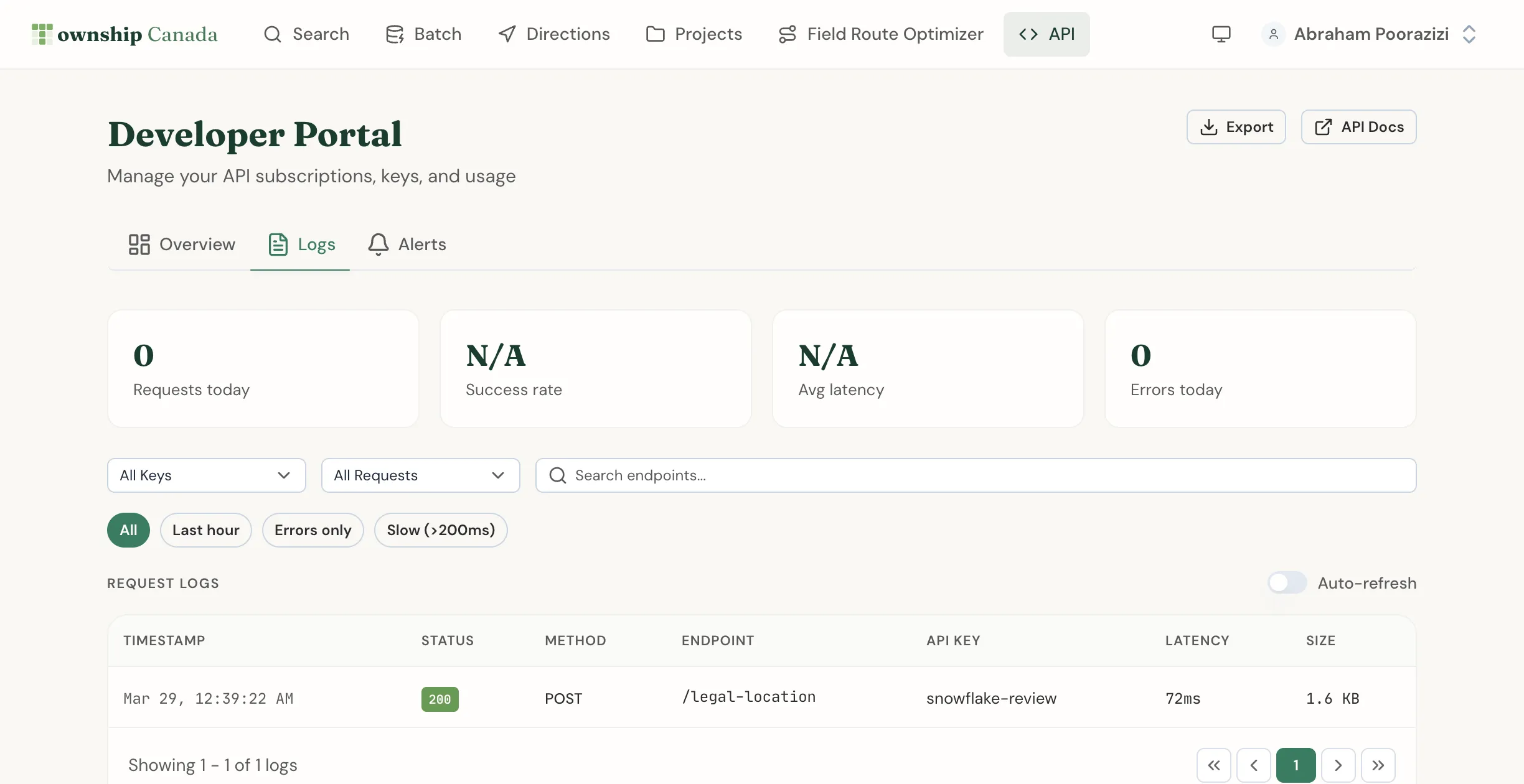
What You'll Build
By the end of this guide, you'll have a SQL function called TOWNSHIP_CONVERT that accepts a legal land description and returns GPS coordinates. Your team will be able to write queries like this:
SELECT
    well_id,
    legal_land_description,
    TOWNSHIP_CONVERT(legal_land_description) AS gps_coordinates
FROM wells_table
LIMIT 10;
Prerequisites
- A Township Canada Batch API key - subscribe on the API page
- A Snowflake account with
ACCOUNTADMINorSYSADMINrole - Access to create API Integrations and External Functions in Snowflake
- Basic familiarity with Snowflake SQL and AWS (for the API Gateway proxy)
The Batch API Build tier includes 1,000 requests/month. For Snowflake workloads processing larger datasets, the Scale tier (10,000 requests) or Enterprise tier (100,000 requests) is recommended. See the API pricing page for current prices and the API Integration Guide for full details.
Architecture Overview
Snowflake External Functions work by routing SQL function calls through a cloud API proxy to an external service. The data flow looks like this:
Snowflake SQL query
  → Snowflake External Function
    → AWS API Gateway (proxy)
      → Township Canada Batch API
        → Response with coordinates
      ← GeoJSON FeatureCollection
    ← Transformed JSON
  ← Result rows in your query
Snowflake sends batches of rows to the proxy endpoint. The proxy forwards each batch to the Township Canada API and returns the results. Snowflake handles the batching automatically - you just call the function on individual rows.
Step 1: Set Up the AWS API Gateway Proxy
Snowflake External Functions require an AWS API Gateway (or Azure API Management) as an intermediary. This proxy receives requests from Snowflake and forwards them to the Township Canada API.
Create a Lambda Function
Create an AWS Lambda function that translates Snowflake's request format into a Township Canada Batch API call.
# Using urllib (stdlib) to avoid packaging external dependencies in Lambda
import json
import os
import urllib.request
import urllib.error

TOWNSHIP_API_KEY = os.environ["TOWNSHIP_API_KEY"]
TOWNSHIP_API_URL = "https://developer.townshipcanada.com/batch/legal-location"

def lambda_handler(event, context):
    rows = event.get("data", [])
    llds = [row[1] for row in rows]

    req = urllib.request.Request(
        TOWNSHIP_API_URL,
        data=json.dumps(llds).encode("utf-8"),
        headers={
            "X-API-Key": TOWNSHIP_API_KEY,
            "Content-Type": "application/json"
        },
        method="POST"
    )

    try:
        with urllib.request.urlopen(req) as resp:
            result = json.loads(resp.read().decode("utf-8"))
    except urllib.error.HTTPError as e:
        return {
            "statusCode": e.code,
            "body": json.dumps({
                "error": f"Township Canada API returned {e.code}: {e.reason}"
            })
        }

    coords_map = {}
    for feature in result.get("features", []):
        props = feature.get("properties", {})
        geom = feature.get("geometry", {})
        if props.get("shape") == "centroid" and geom.get("type") == "Point":
            lld = props.get("legal_location", "")
            lon, lat = geom["coordinates"]
            coords_map[lld] = {"latitude": lat, "longitude": lon}

    output_rows = []
    for row in rows:
        row_number = row[0]
        lld = row[1]
        coord = coords_map.get(lld)
        if coord:
            output_rows.append([row_number, json.dumps(coord)])
        else:
            output_rows.append([row_number, None])

    return {"data": output_rows}
Set the TOWNSHIP_API_KEY environment variable in your Lambda configuration with your Township Canada Batch API key.
Lambda configuration:
- Runtime: Python 3.12
- Memory: 256 MB
- Timeout: 30 seconds
Create the API Gateway
- Create a new REST API in AWS API Gateway
- Create a
POSTmethod on the root resource - Set the integration type to Lambda Function and select your function
- Deploy the API to a stage (e.g.,
prod) - Note the Invoke URL - you'll need it for the Snowflake configuration
Configure IAM for Snowflake
Create an IAM role that Snowflake can assume to invoke your API Gateway:
{
  "Version": "2012-10-17",
  "Statement": [
    {
      "Effect": "Allow",
      "Action": "execute-api:Invoke",
      "Resource": "arn:aws:execute-api:us-west-2:YOUR_ACCOUNT:YOUR_API_ID/prod/POST/*"
    }
  ]
}
Set the trust policy to allow Snowflake's AWS account to assume this role. You'll update the trust policy with the exact external ID after creating the API Integration in Snowflake (Step 2).
Step 2: Create the Snowflake API Integration
Connect Snowflake to your API Gateway proxy by creating an API Integration object.
CREATE OR REPLACE API INTEGRATION township_canada_integration
    API_PROVIDER = aws_api_gateway
    API_AWS_ROLE_ARN = 'arn:aws:iam::YOUR_ACCOUNT:role/snowflake-township-role'
    API_ALLOWED_PREFIXES = ('https://YOUR_API_ID.execute-api.us-west-2.amazonaws.com/prod/')
    ENABLED = true;
After creating the integration, run DESCRIBE INTEGRATION township_canada_integration to get the API_AWS_IAM_USER_ARN and API_AWS_EXTERNAL_ID. Update your IAM role's trust policy with these values:
{
  "Version": "2012-10-17",
  "Statement": [
    {
      "Effect": "Allow",
      "Principal": {
        "AWS": "YOUR_API_AWS_IAM_USER_ARN"
      },
      "Action": "sts:AssumeRole",
      "Condition": {
        "StringEquals": {
          "sts:ExternalId": "YOUR_API_AWS_EXTERNAL_ID"
        }
      }
    }
  ]
}
Step 3: Create the External Function
Define the SQL function that your analysts will call:
CREATE OR REPLACE EXTERNAL FUNCTION TOWNSHIP_CONVERT(lld VARCHAR)
    RETURNS VARIANT
    API_INTEGRATION = township_canada_integration
    HEADERS = ('Content-Type' = 'application/json')
    MAX_BATCH_ROWS = 100
    AS 'https://YOUR_API_ID.execute-api.us-west-2.amazonaws.com/prod/';
Setting MAX_BATCH_ROWS = 100 ensures each Snowflake batch maps to exactly one Township Canada API call, matching the API's 100-record-per-request limit. Snowflake will automatically chunk larger queries into batches of 100 rows.
Step 4: Query Your Data
Now you can convert legal land descriptions to GPS coordinates directly in SQL:
Single conversion
SELECT TOWNSHIP_CONVERT('NW-36-42-3-W5') AS result;
Returns:
{ "latitude": 52.454928, "longitude": -114.648933 }
Enrich a wells table
SELECT
    well_id,
    well_name,
    legal_land_description,
    TOWNSHIP_CONVERT(legal_land_description):latitude::FLOAT AS latitude,
    TOWNSHIP_CONVERT(legal_land_description):longitude::FLOAT AS longitude
FROM wells
WHERE province = 'AB'
LIMIT 100;
Create an enriched view
For repeated use, create a view that automatically includes coordinates:
CREATE OR REPLACE VIEW wells_with_coordinates AS
SELECT
    w.*,
    TOWNSHIP_CONVERT(w.legal_land_description):latitude::FLOAT AS latitude,
    TOWNSHIP_CONVERT(w.legal_land_description):longitude::FLOAT AS longitude
FROM wells w;
Note: Views re-execute the external function on every query, consuming API requests each time. For tables that don't change frequently, use the CTAS pattern below to convert once and store the results.
Batch enrichment with CTAS
For large tables, run the conversion once and store the results:
CREATE TABLE wells_enriched AS
SELECT
    w.*,
    tc.result:latitude::FLOAT AS latitude,
    tc.result:longitude::FLOAT AS longitude
FROM wells w,
LATERAL (SELECT TOWNSHIP_CONVERT(w.legal_land_description) AS result) tc;
Spatial analysis in Snowflake
Combine with Snowflake's geospatial functions for proximity analysis:
-- Find all wells within 10 km of a point
WITH well_coords AS (
    SELECT
        well_id,
        legal_land_description,
        TOWNSHIP_CONVERT(legal_land_description):latitude::FLOAT AS lat,
        TOWNSHIP_CONVERT(legal_land_description):longitude::FLOAT AS lon
    FROM wells
)
SELECT
    well_id,
    legal_land_description,
    ST_DISTANCE(
        ST_MAKEPOINT(lon, lat),
        ST_MAKEPOINT(-114.0719, 51.0447)
    ) / 1000 AS distance_km
FROM well_coords
WHERE distance_km < 10
ORDER BY distance_km;
Cost Estimation
External Function calls consume Township Canada API requests. Each row processed counts as one record in a batch request. See the API pricing page for tier prices.
| Snowflake Query Size | API Requests Used | Recommended Tier |
|---|---|---|
| < 1,000 rows/month | ~10 batches | Build |
| < 10,000 rows/month | ~100 batches | Scale |
| < 100,000 rows/month | ~1,000 batches | Enterprise |
To minimize API usage, run the conversion once and store results in a table (CTAS pattern above) rather than calling the function in views that re-execute on every query.
Databricks
The same Township Canada API works with Databricks. You can call the Batch API from a Databricks notebook using Python UDFs.
Databricks Python UDF
import requests
import json
import pandas as pd
from pyspark.sql.functions import pandas_udf
from pyspark.sql.types import StructType, StructField, DoubleType, StringType

TOWNSHIP_API_KEY = dbutils.secrets.get(scope="township", key="api_key")
TOWNSHIP_API_URL = "https://developer.townshipcanada.com/batch/legal-location"
BATCH_SIZE = 100

def convert_lld_batch(llds):
    """Call Township Canada Batch API and return a dict of lld -> (lat, lon)."""
    response = requests.post(
        TOWNSHIP_API_URL,
        headers={
            "X-API-Key": TOWNSHIP_API_KEY,
            "Content-Type": "application/json"
        },
        json=llds
    )
    response.raise_for_status()
    result = response.json()

    coords_map = {}
    for feature in result.get("features", []):
        props = feature.get("properties", {})
        geom = feature.get("geometry", {})
        if props.get("shape") == "centroid" and geom.get("type") == "Point":
            lon, lat = geom["coordinates"]
            coords_map[props["legal_location"]] = (lat, lon)

    return coords_map

@pandas_udf(StructType([
    StructField("latitude", DoubleType()),
    StructField("longitude", DoubleType())
]))
def township_convert(lld_series: pd.Series) -> pd.DataFrame:
    """Batch-aware Pandas UDF - sends one API call per 100 rows."""
    llds = lld_series.tolist()
    all_coords = {}

    for i in range(0, len(llds), BATCH_SIZE):
        chunk = llds[i:i + BATCH_SIZE]
        all_coords.update(convert_lld_batch(chunk))

    latitudes = []
    longitudes = []
    for lld in llds:
        coord = all_coords.get(lld)
        latitudes.append(coord[0] if coord else None)
        longitudes.append(coord[1] if coord else None)

    return pd.DataFrame({"latitude": latitudes, "longitude": longitudes})

# Usage
df = spark.table("wells")
df_enriched = df.withColumn("coords", township_convert(df.legal_land_description))
Troubleshooting
Function returns NULL for valid descriptions
The Batch API requires properly formatted legal land descriptions. Use the Input Format Reference to verify your format. Common issues:
- Missing meridian prefix: use
NW-36-42-3-W5notNW-36-42-3-5 - Wrong separators: dashes, spaces, and no-separator formats are all accepted
- Trimming: ensure no leading/trailing whitespace in your data
Rate limit errors
If you see HTTP 429 errors, your queries are exceeding the rate limit for your tier. Solutions:
- Reduce
MAX_BATCH_ROWSin the function definition - Add delays in the Lambda function between API calls
- Upgrade to a higher API tier for increased rate limits
Timeout errors
The Lambda function has a 30-second timeout. For batches close to 100 rows, the Township Canada API typically responds in under 5 seconds. If timeouts occur:
- Check your Lambda timeout setting
- Verify network connectivity from your Lambda VPC to the internet
- Contact support@townshipcanada.com if API response times are consistently slow
Related Resources
- API Integration Guide - Full overview of Township Canada APIs and pricing
- Batch API Guide - Detailed Batch API documentation with Node.js and Python examples
- Input Format Reference - Supported legal land description formats
- API Key Management - Create and manage API keys
- API Documentation - Interactive API explorer
Related Guides
Legal Land Description API Integration Guide
Integrate legal land description APIs into your applications. Convert LLDs to coordinates, add autocomplete search, process batch records, and display DLS/NTS grid maps. REST API with JSON responses.
Managing API Keys for Development, Staging, and Production
Create and manage multiple Township Canada API keys for different environments. Naming conventions, key rotation, environment variables, and CI/CD setup.
API Troubleshooting & Best Practices
Fix common Township Canada API errors including Forbidden responses, CORS issues, rate limiting, and empty results. Includes debugging tips and integration patterns.