By Township Canada
How to Convert Legal Land Descriptions Directly in Snowflake SQL
Convert Canadian DLS, LSD, and NTS legal land descriptions to GPS coordinates in Snowflake SQL - validate bad data first, enrich tables inline, and keep your pipeline clean.
You've loaded a Canadian wells or parcels dataset into Snowflake. The legal_description column holds values like NW-25-24-1-W5, LSD 06-32-048-07W5, maybe NTS block references mixed in. Your dashboard needs GPS coordinates. Your data team is about to export to CSV.
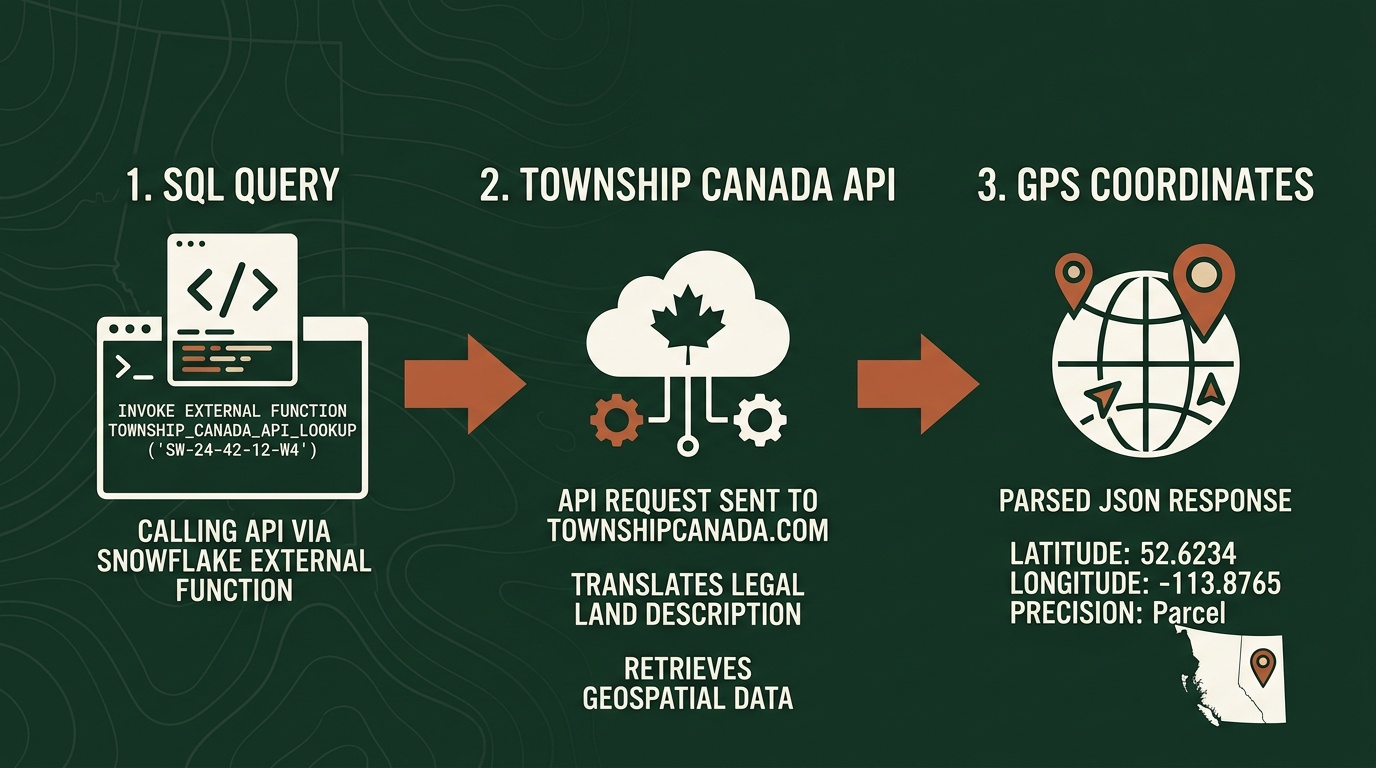
Stop there. You can convert legal land descriptions directly in Snowflake SQL - no export, no Python script, no broken data lineage. Here's how, covering the SQL patterns you'll actually use and the one validation step most teams skip.
SQL-Native Conversion via External Function
Township Canada supports legal land description conversion inside Snowflake through an External Function backed by AWS Lambda and API Gateway. Deploy a Lambda proxy, configure an API Gateway endpoint, and register the function in Snowflake as TOWNSHIP_CONVERT. The setup guide walks through every step: Lambda deployment, API Gateway, IAM roles, and Snowflake integration objects. Most data engineers complete it in under an hour.
Core Conversion Patterns
Before running against a production table, test with a known description:
SELECT TOWNSHIP_CONVERT('NW-25-24-1-W5');
This returns a JSON variant with latitude and longitude fields for the northwest quarter of Section 25, Township 24, Range 1, West of the 5th Meridian.
To extract coordinates as separate float columns:
SELECT
    well_id,
    legal_description,
    TOWNSHIP_CONVERT(legal_description):latitude::FLOAT  AS latitude,
    TOWNSHIP_CONVERT(legal_description):longitude::FLOAT AS longitude
FROM well_inventory
WHERE region = 'Cardium_Play';
This runs inline - no staging table, no intermediate step. For large-scale table enrichment (CTAS, LATERAL, Snowflake Tasks), the full enrichment walkthrough covers those patterns in detail.
Define a View for On-Demand Conversion
If your source table updates continuously and you don't want to maintain a scheduled enrichment task, define a view that converts on read:
CREATE OR REPLACE VIEW well_locations AS
SELECT
    well_id,
    uwi,
    legal_description,
    TOWNSHIP_CONVERT(legal_description):latitude::FLOAT  AS latitude,
    TOWNSHIP_CONVERT(legal_description):longitude::FLOAT AS longitude
FROM well_inventory;
Dashboard tools that query this view always get coordinates fresh from the source. The trade-off is API call volume - every query that touches unconverted rows triggers conversions. For stable source data, a materialized table is more cost-efficient.
Working with Mixed LLD Formats
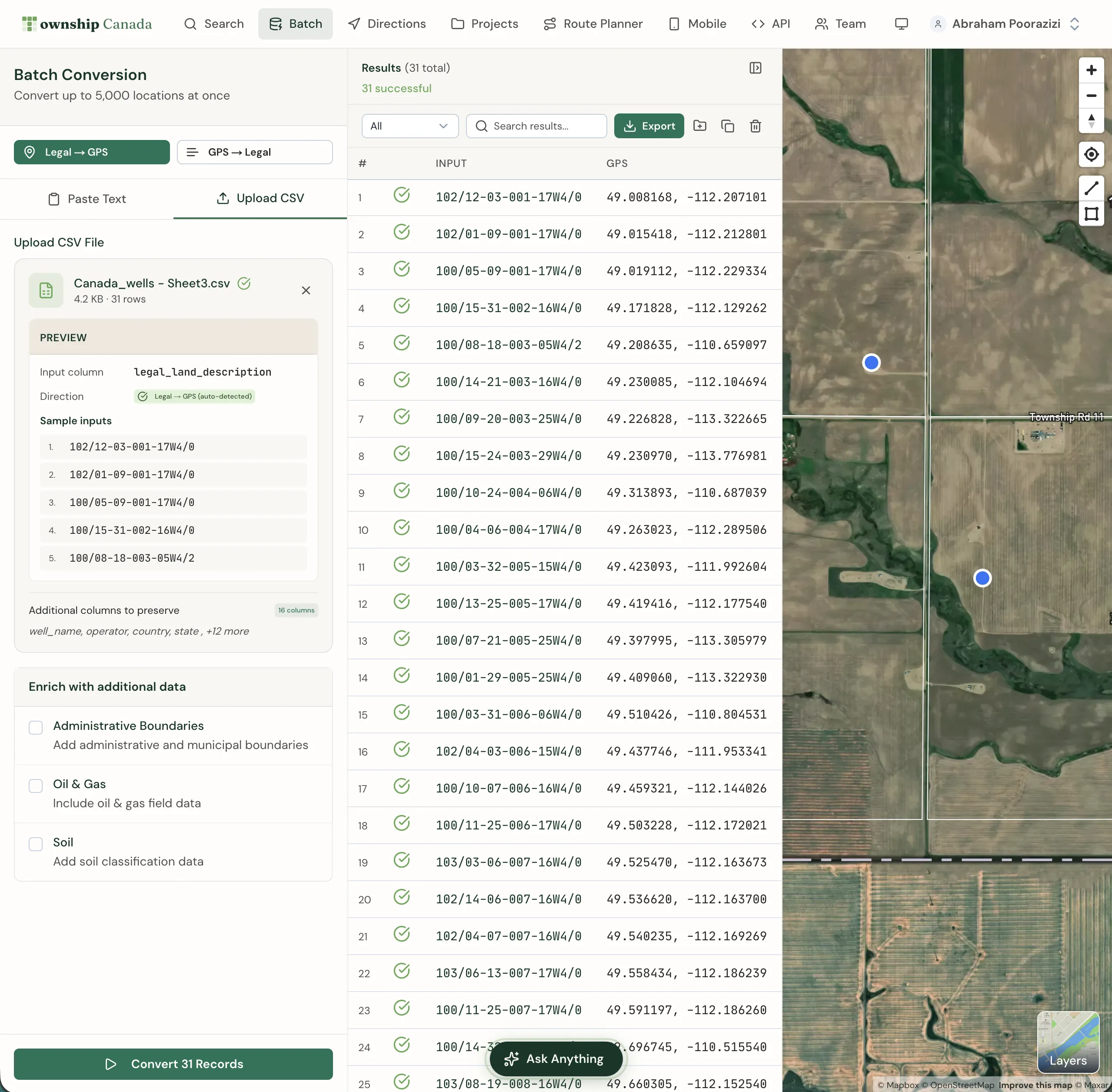
Most Snowflake enrichment guides assume a clean, single-format column. Real datasets rarely cooperate. A provincial well database might contain DLS quarter sections alongside Legal Subdivisions; an acquisition might introduce NTS references from BC assets. The same function resolves all of them:
-- DLS quarter section (Alberta, Saskatchewan, Manitoba, BC Peace River block)
SELECT TOWNSHIP_CONVERT('SE-36-42-3-W5'):latitude::FLOAT;

-- Legal Subdivision - a 40-acre parcel within a DLS section
SELECT TOWNSHIP_CONVERT('LSD 06-32-048-07W5'):latitude::FLOAT;
Pass NTS map sheet references - common in BC resource and environmental datasets - using the same function call. No format detection, no branching logic, no separate function per system. The DLS system guide explains how DLS quarter sections and Legal Subdivisions relate to each other - useful if you're working with a mixed Alberta dataset for the first time.
Validate Before You Enrich
This is the step most teams skip, and it causes the most downstream problems.
A legal land description that looks valid can still fail to convert. The most common cause is a transposed meridian - changing W5 to W4 in SE-36-42-3-W5 moves the location nearly 200 kilometres east. When the function can't resolve a description, it returns null. That null propagates silently into your production table and every model downstream.
A practical pre-enrichment check is to run a small sample through TOWNSHIP_CONVERT and inspect the results for nulls before committing to a full table run:
-- Spot-check a sample before running the full enrichment
SELECT
    legal_description,
    TOWNSHIP_CONVERT(legal_description) AS result
FROM well_inventory
LIMIT 50;
Null results indicate descriptions that the API could not resolve. Review those rows in your source data before proceeding with the full CTAS.
Common finds in O&G data:
- Trailing suffix from Alberta Land Titles:
SE-36-42-3-W5M- the trailingM(as inW5M) is a common Meridian suffix, optional in DLS notation; the parser accepts the description with or without it - Missing separator:
NW2524-1-W5- looks like a DLS quarter section but won't parse - Non-standard LSD format: some AER exports omit the
LSDprefix entirely, which can trip up downstream parsers even when the API resolves it correctly
Fix the bad rows in your source table first, then run the enrichment. One invalid description out of 15,000 costs nothing to fix before the CTAS runs; it costs real time to find and correct after that row has propagated through five dbt models.
Running Conversion in a dbt Model
If your warehouse uses dbt, the conversion integrates cleanly as an enrichment model:
-- models/enriched/well_locations.sql
{{ config(materialized='table') }}

SELECT
    well_id,
    uwi,
    legal_description,
    TOWNSHIP_CONVERT(legal_description):latitude::FLOAT  AS latitude,
    TOWNSHIP_CONVERT(legal_description):longitude::FLOAT AS longitude,
    CURRENT_TIMESTAMP() AS enriched_at
FROM {{ ref('stg_well_inventory') }}
WHERE legal_description IS NOT NULL
  AND legal_description != ''
For incremental runs, filter to only rows that haven't been enriched:
{{ config(materialized='incremental') }}

...
{% if is_incremental() %}
WHERE legal_description NOT IN (SELECT legal_description FROM {{ this }})
{% endif %}
This avoids re-calling the API for rows already in the enriched table - important for keeping costs predictable at the Scale and Enterprise tiers. The API charges per request, not per row per run.
Get Started
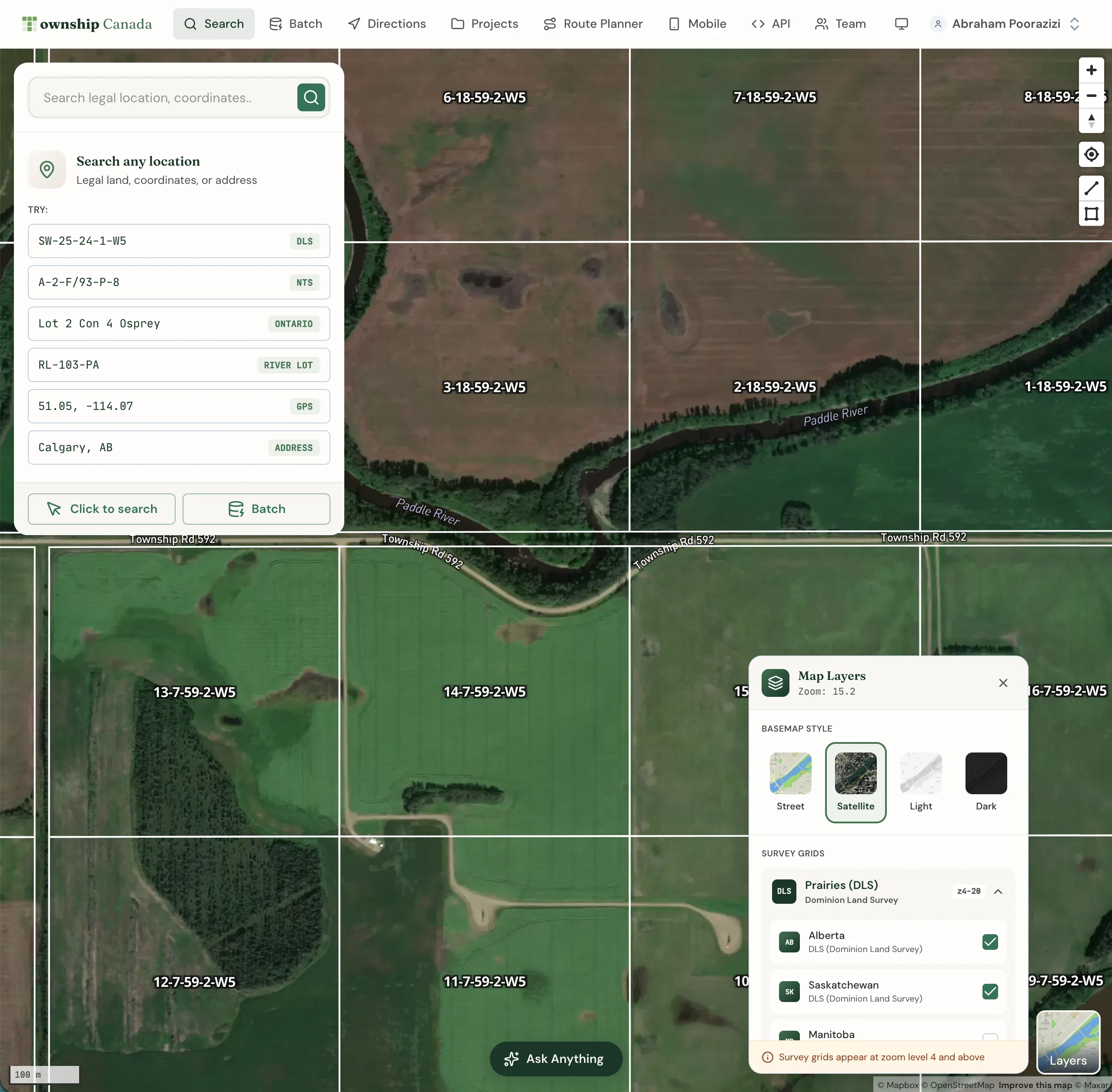
A Township Canada API key is required. Sign up on the API page - the Batch API Build tier covers 1,000 requests/month; see pricing.
Follow the setup guide to deploy the Lambda proxy, configure API Gateway, and register TOWNSHIP_CONVERT in Snowflake - Lambda, API Gateway, and Snowflake integration configuration all in one place.
The Snowflake DLS enrichment post goes deeper on the business case for warehouse-native conversion and covers the Databricks UDF variant if your team runs on Databricks.