Map Layers: Survey Grids, the Data Catalog, and Bundle Layers
How to open the Layers panel, switch base maps, toggle survey grids, turn on energy and agriculture data layers, recolour a layer by a different property, and use quick presets like production and tenure.
Township Canada's map is built from three kinds of layers: a base map underneath everything, the survey grids that draw the DLS, NTS, Geographic Township, and FPS systems, and a data catalog of overlays for energy, agriculture, administrative boundaries, and more. All three are controlled from one place: the Layers panel.
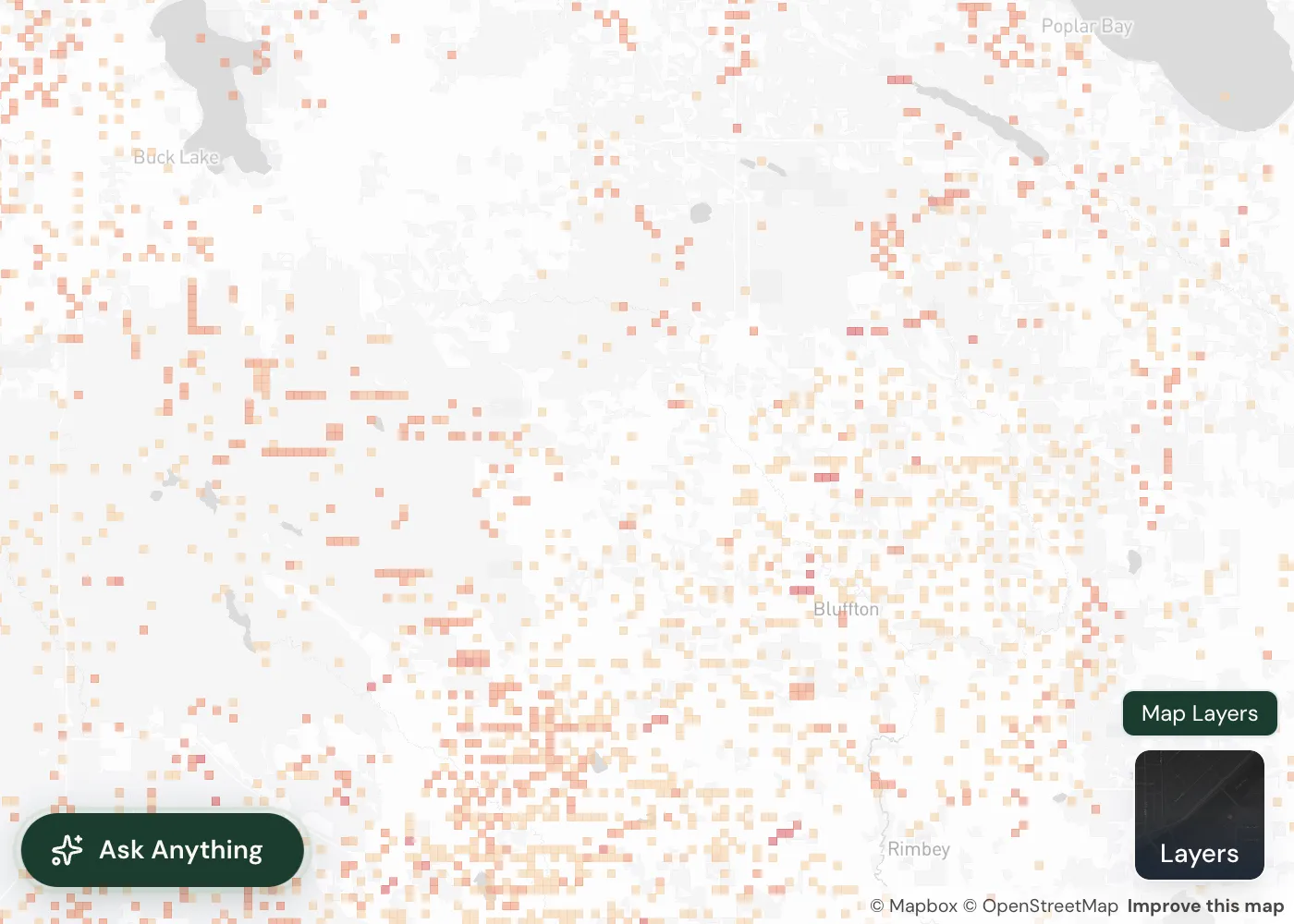
Opening the Layers panel
Click the Layers button in the bottom-right corner of the map. The panel opens with a search box at the top, filter chips below it, and three stacked sections: Basemap Style, Survey Grids, and Data Layers.
- Find a layer. Type in the search box to filter every grid and data layer by name or description. Matching groups expand automatically.
- Filter by state. The chips switch the view between All, On (only layers currently showing, with a live count), and Locked (layers your plan does not yet include).
- Now showing. A strip near the top lists every active layer as a chip. Click a chip to turn that layer off without hunting for it.
- Clear. The Clear button switches everything off at once.
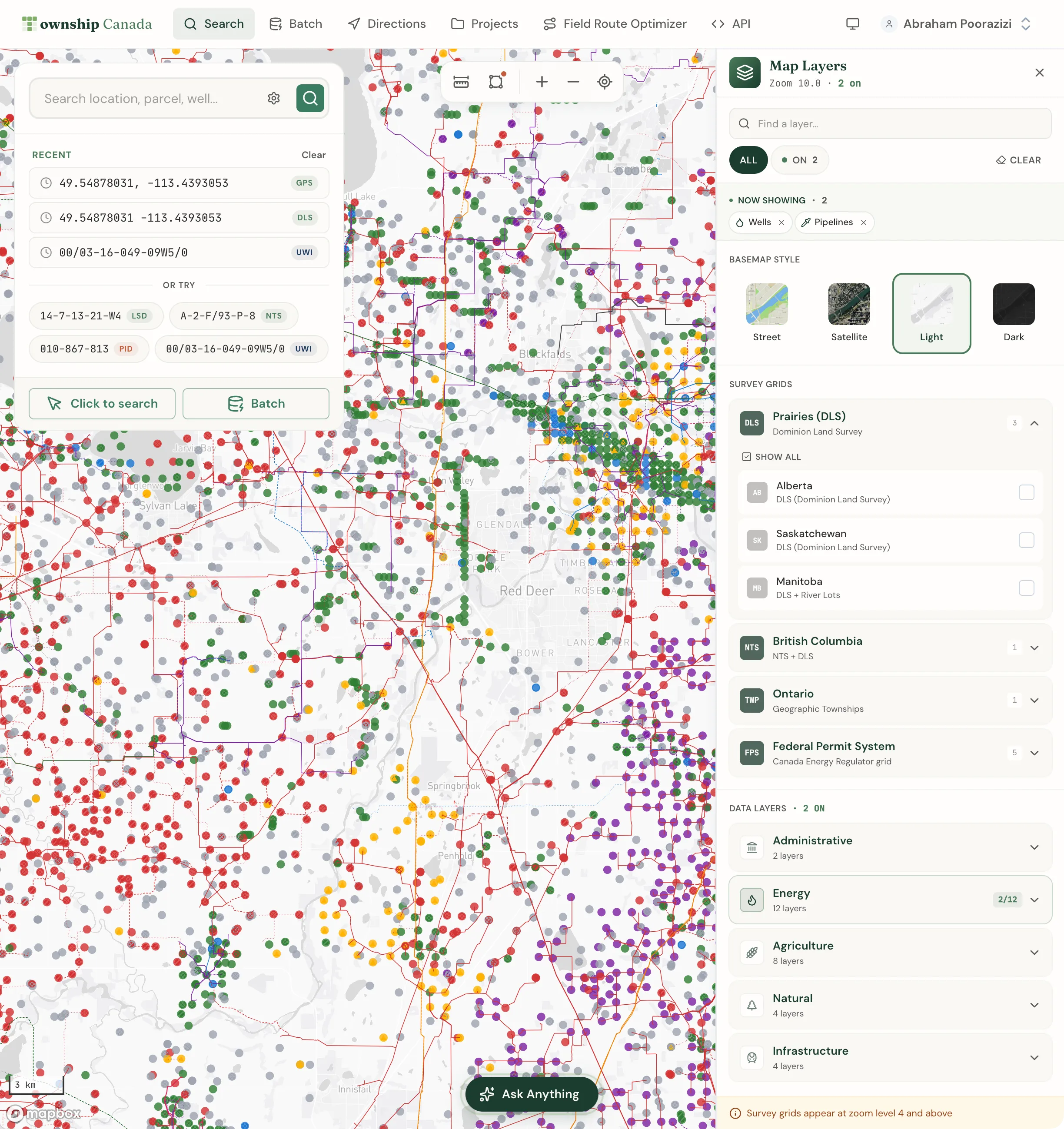
Base map styles
The Basemap Style row sets the backdrop. Choose from Street, Satellite, Outdoors, Light, and Dark. The grids and data layers recolour automatically for readability over light or dark backdrops.
Survey grids
The Survey Grids section groups the grid overlays by region. Expand a group and toggle individual grids:
- DLS Grid for Alberta, Saskatchewan, and Manitoba (Township, Range, Section, Quarter Section, and LSD).
- NTS Grid for British Columbia.
- Geographic Townships for Ontario.
- FPS Grid for the Northwest Territories, Nunavut, and offshore areas.
When a group holds more than one grid, a Show all / Hide all control toggles the whole group at once. Your grid choices are saved in your browser, so the same grids come back on your next visit.
Data layers
The Data Layers section is the catalog. Layers are organized into categories, each with its own icon:
- Administrative - boundaries and reference geography.
- Energy - wells, pipelines, facilities, oil and gas activity, production, and Crown tenure.
- Agriculture - the Ag Summary productivity layer and AAFC crop history.
- Natural - soil, drought, wetlands, flood susceptibility, and related environmental layers.
- Infrastructure - transport and built features.
Each layer row shows its name, a short description, and the zoom range where it draws (for example, z6-22). Toggle a layer with its checkbox or by clicking the row. Categories with more than one unlocked layer have their own Show all / Hide all control.
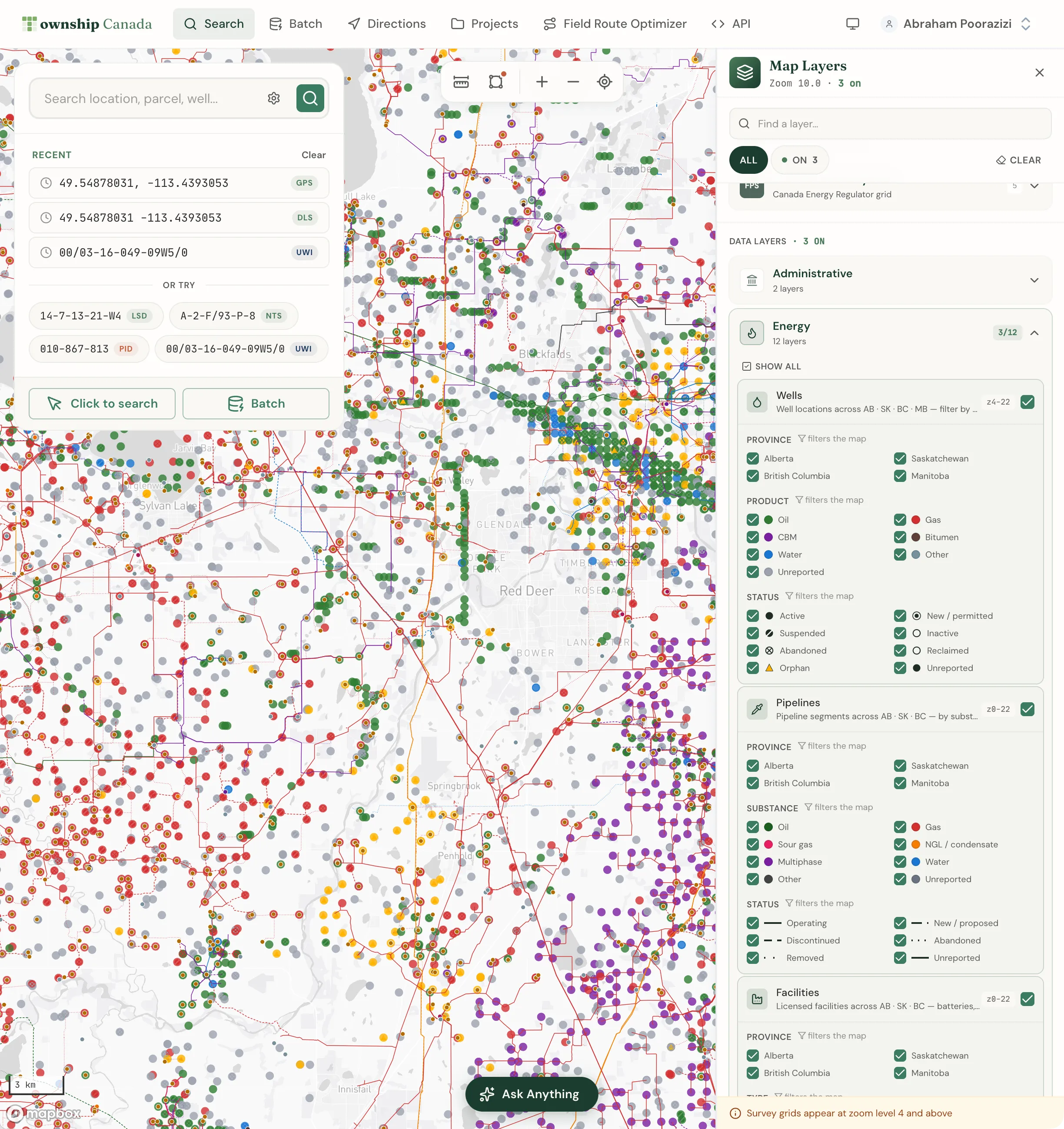
Energy and Agriculture bundle layers
The energy and agriculture catalog layers are part of the parcel-report bundles, so they are gated:
- Energy Bundle unlocks Pipelines, Facilities, O&G Activity (LSD), LSD Production (12mo), Petroleum Tenure, and Mineral Tenure. The bundle's catalog spans wells across Alberta, Saskatchewan, British Columbia, and Manitoba (more than 530,000 in Alberta alone), plus pipelines, facilities, and Crown tenure for Alberta, Saskatchewan, and British Columbia. Within the Energy category, Wells and Fields & Pools are free on any paid plan, and the CCS layers (Pore Space Rights, CCS Project Boundaries, CCS Injection Wells), Geothermal Tenure, and Soil Landscapes are also free.
- Agriculture Bundle unlocks Ag Summary, AAFC Crops, Soil Survey, Ag Capability (AB + BC), SK Crown Land, SK Pastures, and BC Agricultural Land Reserve. The BC Wetlands sub-layer (within the Natural category) is also Agriculture Bundle gated.
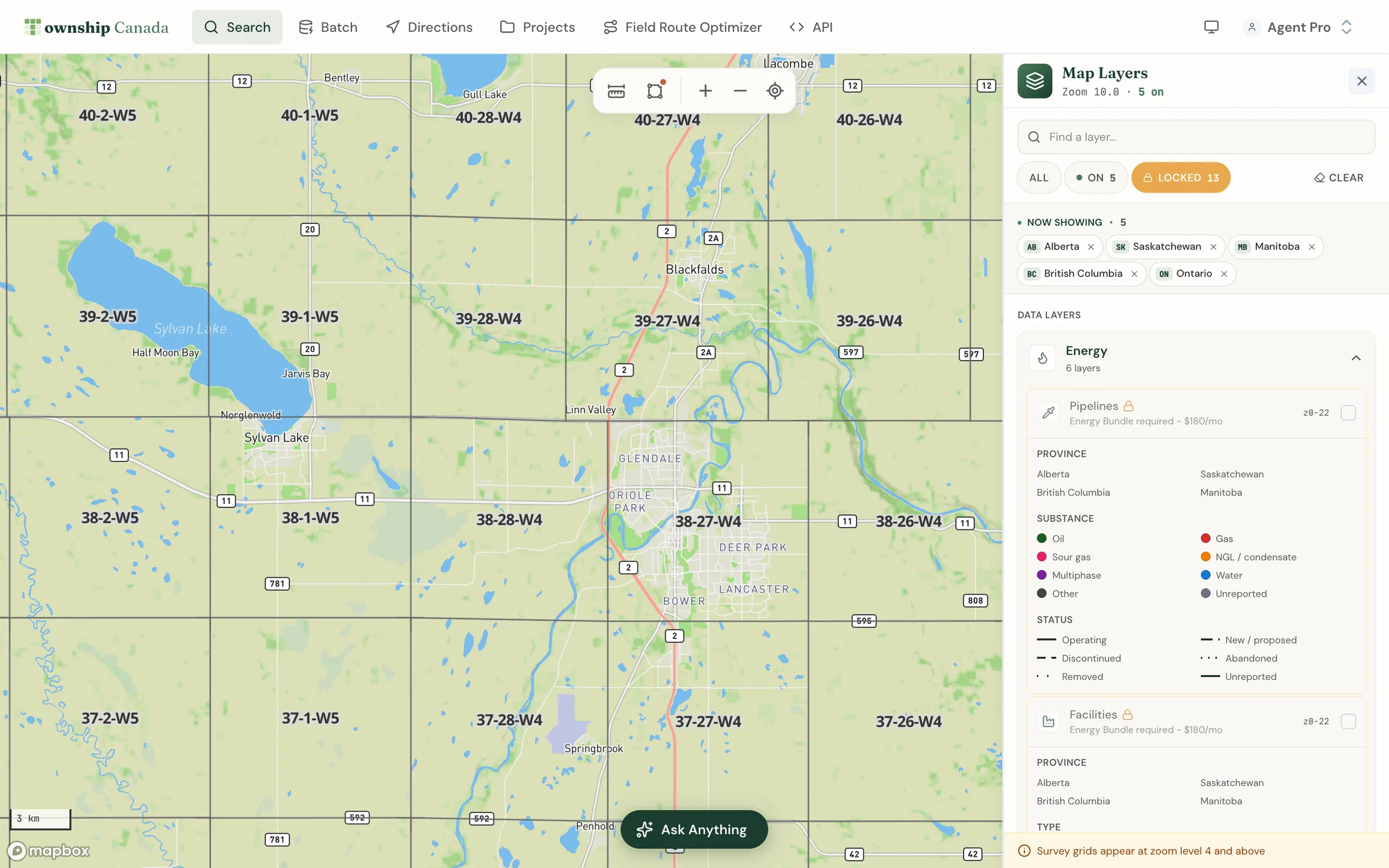
Both bundles stack on a Pro or Business plan (see pricing). Until you carry the matching bundle, these layers appear with an amber lock and a label such as "Energy Bundle required" or "Agriculture Bundle required." Switch the filter chip to Locked to see everything your plan does not yet include, then click any locked layer to open the upgrade path.
Recolour a layer by a different property
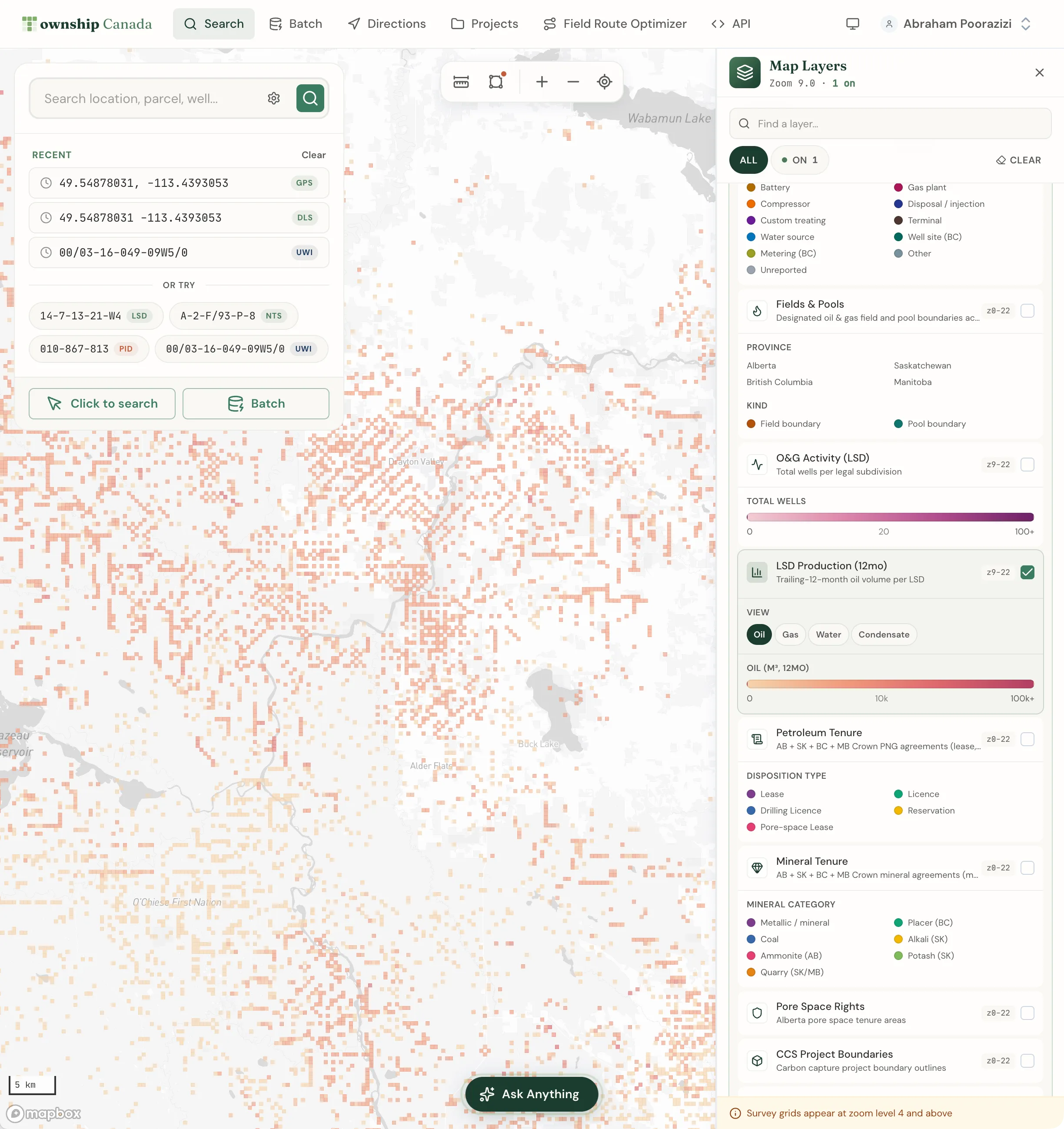
Some data layers can be themed by more than one property. When a layer with multiple views is on, a View switcher appears under it with a pill for each option. Switching the view repaints the same layer against a different metric:
- LSD Production can be coloured by trailing-12-month oil volume, gas, or another product.
- O&G Activity (LSD) can be coloured by orphan- or abandoned-well density.
- Petroleum Tenure can be coloured by days to expiry.
- Mineral Tenure can be coloured by target substance, from limestone to iron to uranium.
A legend appears under each active layer. For status layers such as wells, the legend doubles as a filter: click a status to show or hide that group.
Quick presets
Presets drop you straight onto a curated view without clicking through the panel. Add a ?preset= parameter to the map URL:
?preset=production- LSD production coloured by trailing-12-month oil volume.?preset=liability- O&G activity coloured by orphan-well density.?preset=tenure- Crown PNG and mineral tenure coloured by days to expiry.?preset=minerals- mineral tenure coloured by target substance.
Each energy preset needs the Energy Bundle. Without it the preset shows a one-time notice with an upgrade link instead of silently doing nothing.
Related guides
- The Parcel Report Sidebar - the per-parcel view that pairs with these layers
- Interactive Maps - base maps, navigation, and measurement tools
- Energy, Agriculture, and Combined Parcel Reports
Related Guides
AI Assistant - Ask Questions About Legal Land Descriptions
Use Township Canada's AI Assistant to convert legal land descriptions, get directions, validate formats, ask about a parcel's wells, soil, crops, and flood history, and learn about DLS, NTS, and Geographic Township systems through natural conversation.
Batch Convert Legal Land Descriptions - 5,000+ Records
Convert thousands of legal land descriptions to GPS coordinates and vice versa in seconds. Export to CSV, KML, Shapefile, DXF, or GeoJSON. Perfect for oil & gas, real estate, GIS, and agriculture.
Using Township Canada for Delivery & Field Route Planning
Plan efficient delivery routes and field visits using legal land descriptions. Convert LSD lists from spreadsheets, visualize stops on a map, and get driving directions.