By Township Canada
How Oil and Gas Companies Use Legal Land Descriptions
Well site identification, pipeline routing, AER filings, and field crew navigation - how the energy industry relies on legal land descriptions and how Township Canada helps.
A pipeline company is preparing a regulatory submission to the AER. The filing lists 230 well locations, each recorded as a legal land description. Before submission, the land team needs GPS coordinates for every one - to verify positions on a map, run a proximity check against sensitive areas, and attach a coordinates schedule to the application.
Converting 230 LSDs by hand takes the better part of a day. It also introduces risk: a transposed township number or wrong meridian produces coordinates that are kilometres off. In a regulatory filing, that error triggers a revision request and delays the submission by weeks.
This is a routine problem in Canadian oil and gas. Legal land descriptions appear on every well licence, surface lease, pipeline crossing permit, and environmental assessment. The friction isn't with the system itself - it's between legal descriptions and the GPS-based tools that field crews, GIS analysts, and engineers use every day.
Why Legal Land Descriptions Are Everywhere in Oil and Gas
The DLS (Dominion Land Survey) system has been the foundation of land administration in Alberta, Saskatchewan, and Manitoba since 1871. Every regulator, registry, and government agency in those provinces records locations in DLS notation. For oil and gas specifically:
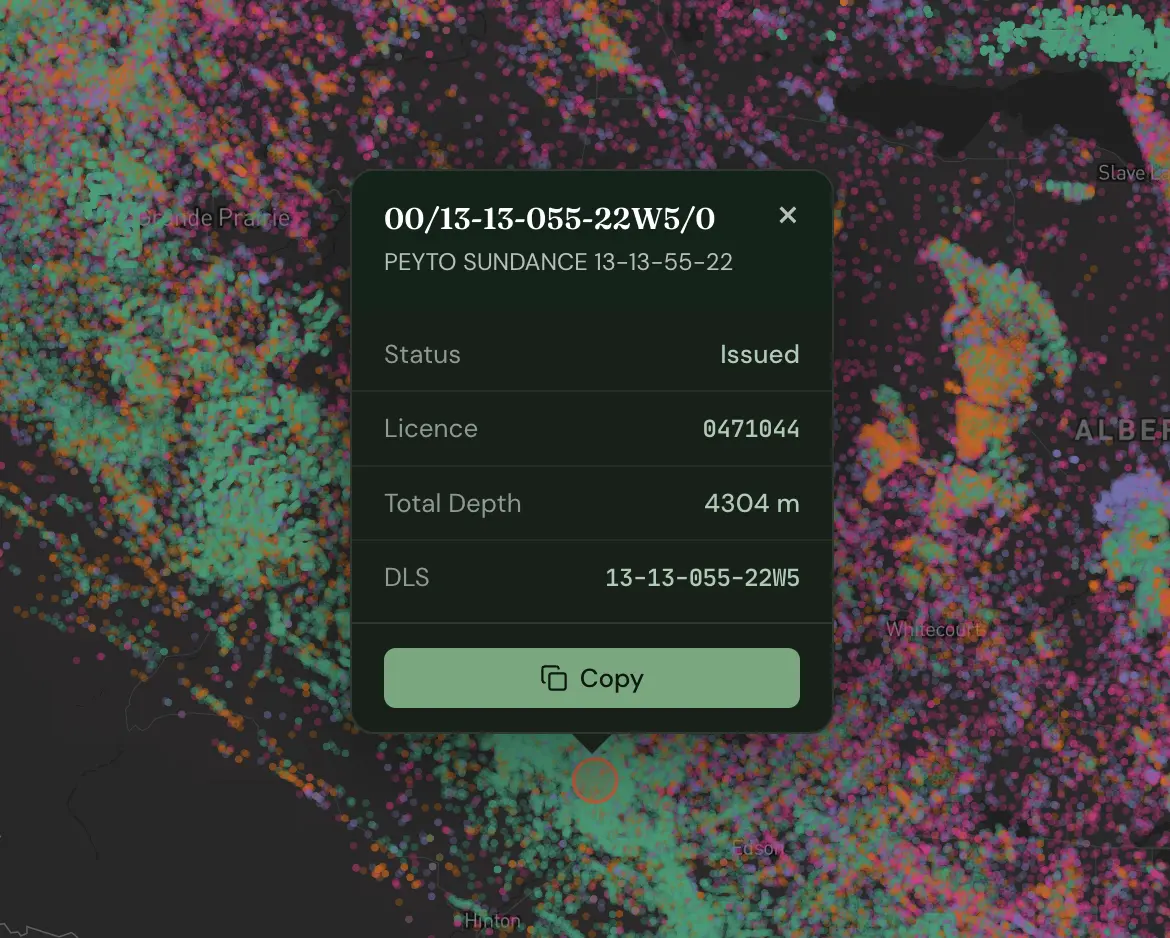
- Well licences: The AER in Alberta and the Ministry of Energy and Resources in Saskatchewan require well locations as LSDs. The Unique Well Identifier (UWI) embeds the DLS location directly -
100/06-32-048-07W5/0identifies LSD 6, Section 32, Township 48, Range 7, West of the 5th Meridian. - Pipeline routing: Crossing points are identified by section and quarter section. A single gathering line might cross 30 sections, each documented as a legal land description.
- Facility locations: Compressor stations, batteries, and tank farms are sited by quarter section in surface lease agreements and environmental filings.
- Mineral rights: Every title search, rights acquisition, and farm-in agreement references a legal description.
If your work touches Canadian oil and gas - engineering, land, regulatory, field operations - you are dealing with legal land descriptions daily.
Where the Friction Shows Up
The DLS system works well for land administration. The friction comes when those descriptions need to move into GPS-based workflows.
Regulatory filings attach coordinates schedules to well licence applications and environmental assessments. Locations live in internal systems as LSDs; the filing requires GPS. Someone has to convert them.
Pipeline GIS work starts with plotting crossing points in ArcGIS or QGIS. The survey team delivers section crossings in DLS notation. The GIS analyst needs lat/lng to place them on a basemap. If your team uses Esri tools, see how to get Canadian legal land descriptions into ArcGIS - ArcGIS Pro has no native DLS geocoder, but there are three practical workarounds.
Field crew dispatch is where errors get expensive. Work orders list locations as legal descriptions; crews navigate by GPS. A transposed range number - 07W5 entered as 06W5 - moves the destination by 8 kilometres. The crew drives to the wrong location and the job gets rescheduled.
Three Workflows Where This Matters Most
1. Regulatory Filings: Batch Convert Before You Submit
A mid-size Alberta producer files quarterly production reports and licence amendments with the AER. Each submission covers 150 to 200 active well locations. The locations exist in the company's production database as UWIs - legal descriptions embedded in a standard format.
Before each filing cycle, a land technician extracts the UWI list, parses out the LSD component for each well, and needs a verified GPS coordinate for every one. The purpose is twofold: to populate the coordinates schedule required by the AER, and to spot-check locations against the licensed positions before the file goes in.
Using Township Canada's batch conversion tool, the technician uploads a CSV with all 180 legal descriptions and gets GPS coordinates back in seconds. The output flags any descriptions that didn't resolve - catching data entry errors in the source database before they reach a regulator.
2. Pipeline Routing: From Crossing Points to GIS-Ready Geometry
A gathering line running from LSD 06-32-048-07W5 to NE-14-050-07W5 crosses roughly 25 kilometres through three townships. Environmental review requires a GIS layer with all 34 section crossings plotted and a 500-metre buffer analysis against wetlands.
The survey team records crossing points as quarter sections in DLS notation. After converting them through Township Canada's search tool and exporting as a Shapefile, the GIS analyst loads the point layer directly into ArcGIS, draws the route line, and runs the buffer analysis. Total time: under five minutes.
3. Field Crew Dispatch: Route Planning for Multi-Stop Inspections
A pipeline integrity inspector has 12 anomaly sites to visit across a 60-kilometre section of gathering system. The work order lists each site as an LSD. The inspector's truck has GPS navigation; the work order has legal descriptions. Someone needs to convert and plan the route.
Using Township Canada's route planner, the inspector enters all 12 LSDs, the tool converts them to GPS coordinates and calculates the most efficient driving order between them. The route can be exported and sent to a navigation device, or the inspector can follow the turn-by-turn directions on their phone. Twelve stops, optimized route, no manual lookup required.
What Township Canada Provides
For single lookups, the LSD converter returns GPS coordinates and a map view immediately - enough for a field supervisor confirming one well location before dispatch.
For volume work, the batch CSV upload processes hundreds of legal descriptions at once. Upload a column of LSDs or quarter sections, get GPS coordinates back in seconds. The output flags any descriptions that didn't resolve so data errors surface before they reach the field or a regulator.
For programmatic workflows, the Township Canada API connects directly to internal land systems, production databases, and dispatch platforms so conversions happen automatically rather than manually. See how developers in O&G and other industries build with the API - including code examples and pricing comparisons.
Results export to Shapefile, DXF, KML, GeoJSON, and CSV (Business plan required; PDF export is available on Pro and above) - covering GIS analysts loading data into ArcGIS, engineers importing into AutoCAD, and land teams working in spreadsheets. Teams that work primarily in Esri's ecosystem can now skip the export step entirely with the Township Canada ArcGIS integration, which adds a native DLS/NTS locator and batch tool directly inside ArcGIS Pro.
If you need to convert legal land descriptions to GPS coordinates for a filing, a routing project, or a field dispatch, see the available plans - including batch and API options for higher-volume work.