By Township Canada
Federal Permit System Grid Lookup in Canada: Search FPS, DLS, and NTS in One Place
Federal Permit System grid lookup for Canada: NWT, Nunavut, and offshore frontier permits now sit in the same search panel as DLS and NTS, each result tagged by survey system.
A landman working a Kivalliq exploration file pulls a Federal Permit System reference off a CIRNAC notice: F 48 60-20 N 100-30 W. The DLS converter rejects it. The provincial NTS tool returns no match. The federal map viewer opens, but only after a login dance and a separate URL. Twenty minutes vanish on the lookup before the field crew even knows where to go. Federal Permit System grid lookup in Canada has always been the part of the workflow that lives in a different tab.
That tab is closed now. The Township Canada unified search panel takes FPS grids, sections, and units alongside the DLS quarter section and NTS reference you already type into the same box, and every result tells you which survey system it belongs to.
The problem with switching tools mid-search
An oil and gas land technician working a multi-jurisdiction file moves between three or four survey systems in a single afternoon: DLS for Alberta and the Peace River block, NTS for the rest of British Columbia, FPS for anything north of 60 or offshore, plus Geographic Townships or River Lots when an old file shows up. Each system has its own viewer and its own way of failing silently when you type the wrong thing.
A field crew gets dispatched to a quarter section that turned out to be NTS-coded on the licence. A regulatory filing comes back rejected because the FPS unit was written in the wrong order. A pipeline study area straddles the Peace River DLS-NTS overlap and the analyst has to look it up twice to be sure both descriptions reference the same ground.
How FPS search works in the unified panel
The Federal Permit System is now an opt-in source in the unified search panel. Open the search panel, toggle on Federal Permit System under Sources, and FPS grids enter the search alongside DLS, LSD, NTS, Geographic Townships, and River Lots. The toggle is off by default so the search stays quick for users who never work north of 60.
With FPS enabled, the search accepts all three reference formats the federal system uses:
- Grid -
60-20 N 100-30 W(the northeast corner of an FPS grid in Nunavut) - Section -
48 60-20 N 100-30 W(Section 48 within that grid) - Unit -
F 48 60-20 N 100-30 W(Unit F of Section 48)
For a refresher on what FPS grid references actually describe, the Federal Permit System explainer covers the grid hierarchy and how it ties back to the NTS framework.
Survey system tagging on every result
Every search and autocomplete result now carries a system_type tag: DLS, NTS, River Lot, Geographic Township, or Federal Permit System. The tag appears as a small badge on the result card and on the autocomplete dropdown, so you never have to guess which grid the converter actually matched against.
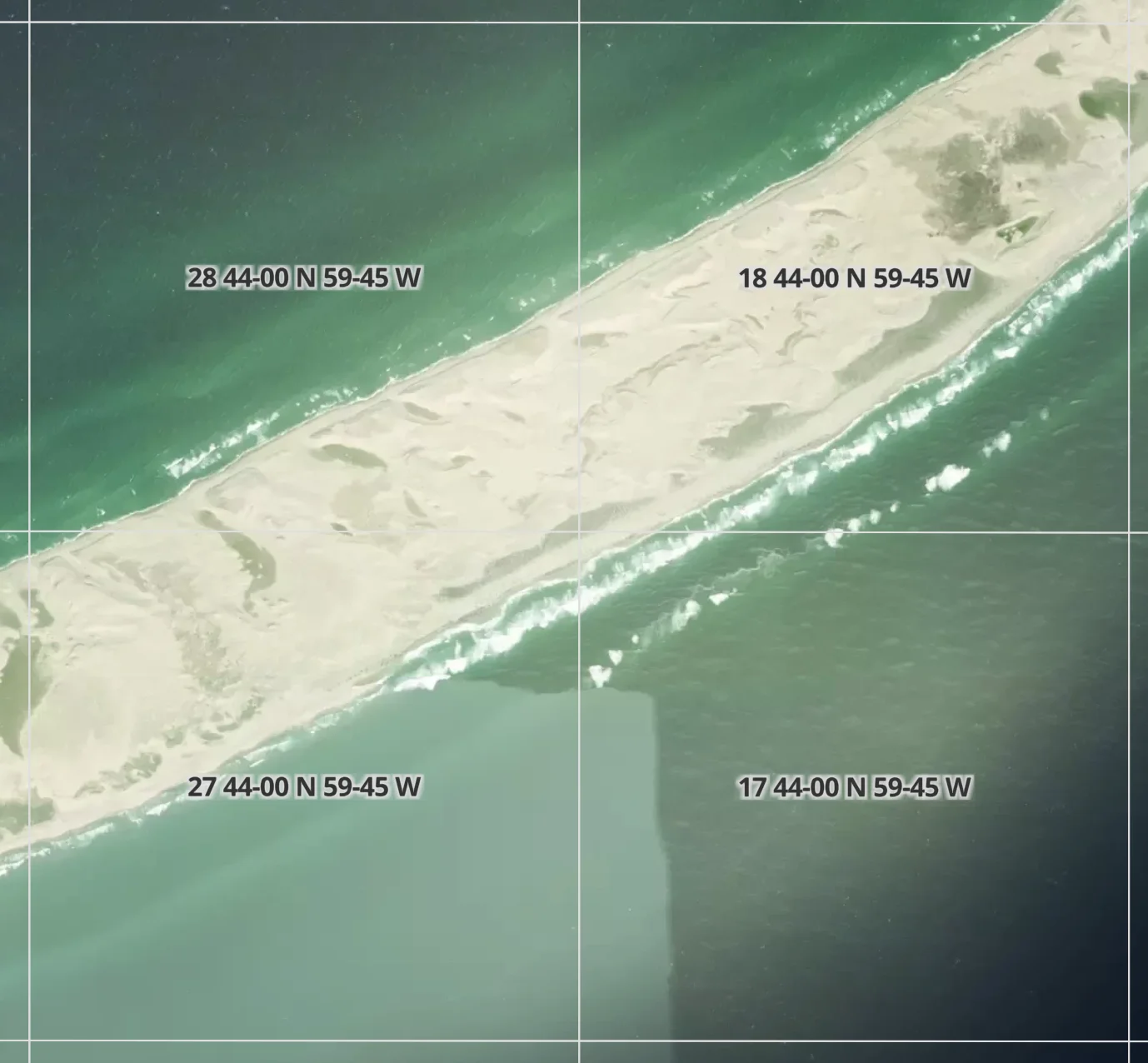
This matters more than it sounds. A bare reference like 60-20 N 100-30 W reads as a GPS coordinate at first glance, but it is actually an FPS grid identifier: the northeast corner of a survey cell, not a point on the ground. Without a tag, you check the lat/long, work out roughly where it sits, and infer the system. With a tag, you read the badge and move on.
The tag is exposed on the API too. The /search response and the mobile autocomplete endpoint both return system_type alongside coordinates, so anything built on the Township Canada API can route results by grid type.
Multi-system coordinate lookups in the Peace River block
In northeast British Columbia, the same ground can be described by a DLS quarter section and by an NTS grid reference: the Peace River block carries the DLS grid the rest of BC does not, and the NTS coverage sits on top. Drop a GPS coordinate inside the block and there is no single right answer. Both descriptions are correct, and a regulatory filing might call for one or the other.
Coordinate lookups now return the highest-resolution cell from each survey system that covers the point, not a single deduplicated guess. A point near Fort St. John inside NTS map sheet 094A/03 returns both its DLS section description and its NTS reference in one lookup, each tagged with its system_type. The reverse geocode no longer forces you to pick a winner. Both descriptions land in the result list, and the badge tells you which is which.
A related fix tightens the BC parcel report sidebar: the DLS survey block now highlights against the DLS grid itself rather than an overlapping cadastral parcel. The two layers no longer fight each other on the report map.
A real Nunavut example
Take an exploration permit lookup in the Kivalliq region of mainland Nunavut, near the Manitoba border. The permit document references F 48 60-20 N 100-30 W: Unit F, Section 48, in the grid whose northeast corner sits at 60°20'N, 100°30'W. The field crew needs GPS coordinates to load into a Garmin and a fuel-stop plan to the nearest charter strip.
With Federal Permit System grid lookup in Canada now wired into the same search panel:
- Toggle on Federal Permit System under Sources.
- Type the unit-section-grid reference. The autocomplete returns the FPS unit, tagged
Federal Permit System. - The result card shows the centre coordinate, a polygon outline on the map, and a one-click directions button.
- Export the coordinate to KML, GeoJSON, or the Township Canada mobile app and the crew lands on the right unit the first time.
For oil and gas teams already on Township Canada for AER well file work, this puts the frontier portion of the portfolio in the same search panel as the WCSB portion.
Getting started
Federal Permit System search is on every plan that has search access. Open the unified search panel at townshipcanada.com/app, open the Sources sidebar, and toggle on Federal Permit System. The toggle persists across sessions, so once it is on for the workspace it stays on.
If you have not seen the rest of the rebuilt panel yet, the new search experience post covers how DLS, LSD, NTS, GPS coordinates, and addresses all flow through a single input. The FPS grid converter how-to is the right starting point if FPS is new to your team. It walks through the three reference formats with worked examples.
Survey system tagging is on by default and needs no toggle. The next time you run a search or a coordinate lookup, the badge is already on the result.