Troubleshooting - Why Your Search Returns No Results
Fix common issues with legal land description searches, batch conversion failures, app errors, and API problems. Step-by-step solutions for Township Canada.
Search not working? Getting empty results or errors? This guide covers the most common reasons a search or conversion fails and how to fix each one.
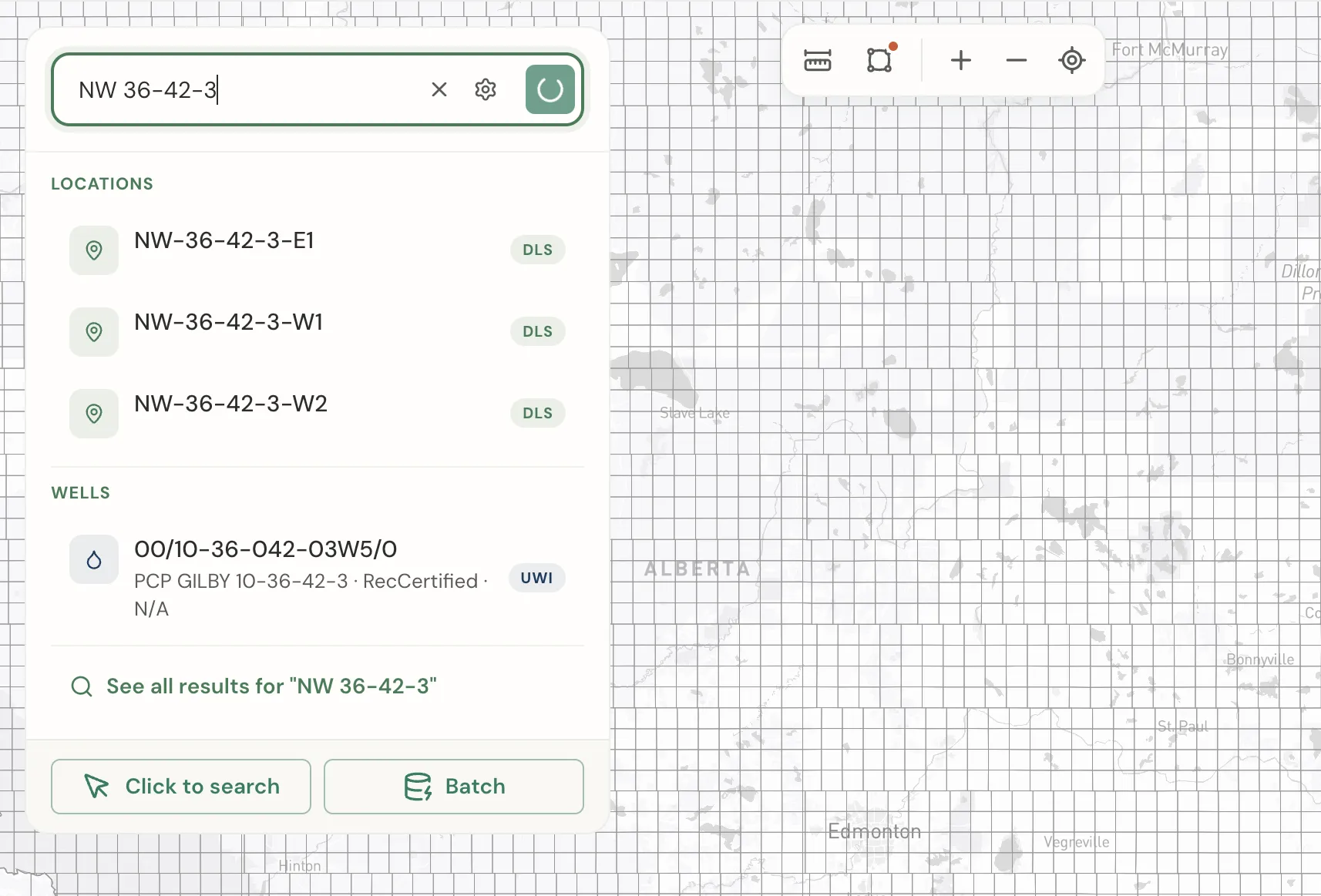
No results? Check these first
1. Format issues
The most common reason for empty results is an incorrectly formatted input. Check these:
- Dashes or spaces between every component -
SW25241W5won't work, butSW-25-24-1-W5orSW 25 24 1 W5will - Meridian needs the "W" prefix -
25-24-1-4should be25-24-1-W4 - Ontario needs "Lot" not "LT" -
LT 29 CON 10 NIPISSINGshould beLot 29 Con 10 Nipissing - Component ranges - LSD must be 1–16, Section must be 1–36, Township must be 1–126, Range must be 1–34
See the Input Format Reference for the correct format for every survey system.
2. Coverage gaps
Your location may be in an area Township Canada does not cover at the resolution you are searching:
- City of Winnipeg - The DLS grid does not cover the Winnipeg urban area. Try searching by street address instead
- Quebec, Nova Scotia, New Brunswick, PEI, Yukon - Not supported yet
See the Coverage Guide for a complete breakdown by province.
3. Township-level lookups
If you enter only a township and range (e.g., 17-14-W1) without a section number, you may not get results. Add a section - use section 16 for the approximate center of the township: 16-17-14-W1.
4. Coordinates outside coverage
If reverse geocoding (GPS → legal description) returns nothing, the coordinates may fall in an urban area, water body, national park, or unsurveyed region. Confirm the coordinates are correct and within Canada (latitude 42°N–83°N, longitude 53°W–141°W).
Batch conversion issues
"I get headers but no results"
Some users describe this as seeing "beavers" instead of data. This usually means no valid records were parsed:
- Check that your data has one description per line
- Remove any header rows (like "Legal Description" or "Location")
- Make sure you are using a supported format (DLS, NTS, Ontario, River Lots)
Special characters breaking the batch
A single bad character can cause remaining records to fail. Common culprits:
- Apostrophes:
NW-'6-55-26-W4- remove the apostrophe - Smart quotes from Word or Excel
- Non-breaking spaces from PDF copy-paste
- Tab characters from spreadsheet paste
Fix: Paste your data into a plain text editor (like Notepad or TextEdit in plain text mode) first, then copy from there into Township Canada.
Mixed formats causing failures
You can mix DLS, NTS, and Ontario descriptions in the same batch. But make sure every line is a complete, valid description. A line like SW-25-24-1 (missing meridian) will fail and may affect surrounding records.
Large datasets
The web app handles up to 5,000 records per session. For larger datasets:
- Use the Batch API with chunking (100 records per API call)
- Contact us for bulk processing of very large datasets (10,000+)
App issues
Search spinner won't stop
If the search keeps spinning without returning results:
- Refresh the page
- If that does not help, log out and log back in - your session may have expired
- Try a different browser to rule out a caching issue
Session expiry
After extended inactivity, your session may expire. You will need to log in again. If the app behaves unexpectedly after a long idle period, refreshing and re-logging in usually resolves it.
Export not downloading
If clicking a download button does not produce a file:
- Check that your plan supports the format you selected (PDF requires Pro+, all other formats require Business)
- Try a different browser - some ad blockers interfere with file downloads
- If the download starts but produces an empty file, the result set may be too large. Try exporting a smaller selection.
API issues
"Forbidden" error
The API returned {"message": "Forbidden"}. This means:
- Your API key is missing from the request - include it in the
X-API-Keyheader - Your API key is invalid or expired - check it in My Account → API Access
- You are calling the wrong base URL
Quick test with curl:
curl -H "X-API-Key: YOUR_KEY" "https://developer.townshipcanada.com/search/legal-location?q=SW-25-24-1-W5"
CORS policy error
If you see "has been blocked by CORS policy" in your browser console, you are calling the API directly from client-side JavaScript. The Township Canada API is designed for server-to-server calls.
Solutions:
- Proxy the request through your own backend server
- Contact us to add your domain to the CORS allowlist
Rate limiting (HTTP 429)
Rate limits vary by API tier: Build allows 1 request/sec, Scale allows 5 requests/sec, and Enterprise allows 25 requests/sec. Requests beyond your tier's limit receive an HTTP 429 "Too Many Requests" response.
Solutions:
- Add a delay between requests in your code to stay within your tier's limit
- Use the Batch API instead of looping single calls
- Upgrade to a higher API tier for increased rate limits
Empty API response
If the API returns a valid response but with no features or results:
- The legal description may not exist at the resolution you queried
- Check that you included the full description with meridian prefix
- The API is stricter than the web app - format must be exact
See the API Troubleshooting Guide for more detailed API debugging steps.
Still stuck?
- Ask the AI Assistant (requires a subscription) - open the chat icon at the bottom center of the screen and describe your issue. The assistant can help normalize messy inputs and explain error messages.
- Contact support - include the exact input you are trying to convert and any error message you see. The more detail you share, the faster we can help.
Related Guides
Supported Coverage & Regional Limitations
Which provinces and territories does Township Canada cover? Understand coverage by survey system, resolution limits, and known gaps in Winnipeg and unsupported provinces.
Get Directions to Legal Land Descriptions | LSD Navigation
Get driving directions to legal land descriptions, LSDs, and quarter sections. Navigate to remote well sites, field locations, and rural properties using DLS or NTS coordinates with turn-by-turn instructions.
Dominion Land Survey (DLS) System Explained
Complete guide to the Dominion Land Survey system used in Alberta, Saskatchewan, Manitoba, and BC. Learn about townships, ranges, sections, and meridians.